HubSpot Competitors for Small Teams: CRM and Automation Tools Worth Comparing
Maximizing small team efficiency means choosing the right CRM and automation tools—discover which HubSpot competitors offer the perfect balance.
If you’re managing a small team, choosing the right CRM and automation tool can feel overwhelming, especially when cost and ease of use matter most. While HubSpot is a popular choice, there are several alternatives that might fit your needs better without breaking the bank. Understanding how these options stack up—and how automation can actually free up your team’s time—is key to finding the best fit. So, what should you really be considering?
What Makes a CRM Ideal for Small Teams
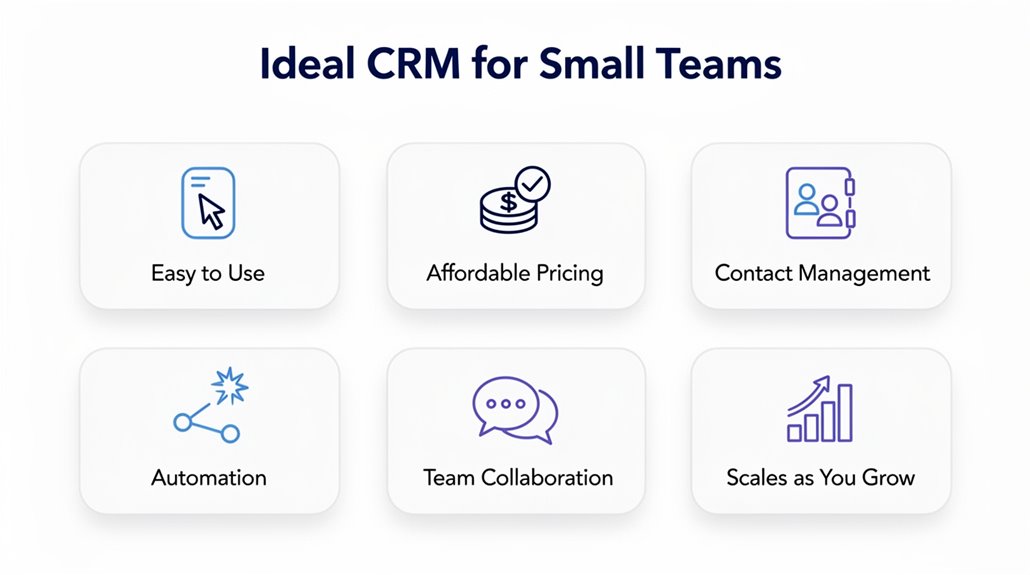
Choosing the right CRM for your small team means finding a tool that’s affordable, easy to use, and flexible enough to grow with you. You’ll want straightforward pricing models that scale without surprise fees, like ActiveCampaign’s $15 per user/month starting point or Zoho CRM’s range from free to $65 per user/month. User adoption is key, so intuitive interfaces from Pipedrive or Freshsales help minimize onboarding time. Essential automation features should let you streamline processes without needing costly add-ons, as seen in HighLevel and ActiveCampaign. Customizable workflows allow your CRM to fit your unique business needs, boosting operational efficiency. Plus, robust reporting and analytics, offered by platforms such as Zendesk and Salesforce, provide the insights necessary for informed decisions. Ultimately, an ideal CRM empowers your small team to stay efficient, save time, and scale smoothly while keeping costs manageable. Strong customer data security, including encryption, access controls, and user authentication, ensures your team’s sensitive customer information stays protected as your business grows.
How CRM Automation Can Save Your Small Team Time
You’ll notice CRM automation streamlines daily tasks by handling repetitive work like lead management and follow-ups, freeing your team to focus on what matters. It also enhances collaboration by keeping everyone aligned with real-time updates and consistent workflows. This means your small team can work smarter, not harder, saving valuable time and improving results. In fact, 70% of users expect seamless mobile access by 2026, making mobile-friendly CRM automation an increasingly critical component of efficient team operations.
Streamlining Daily Tasks
Cutting down repetitive tasks can free up your small team to focus on what really matters. CRM automation helps you automate repetitive tasks like data entry and lead follow-ups, saving precious time weekly. It lets you streamline customer service by routing inquiries automatically, reducing response times. Lead scoring and prioritization improve, so you can target high-value prospects swiftly without getting bogged down in routine management. Workflows without extra manual input keep your team organized through features like task reminders and automated email campaigns, ensuring timely communication. Plus, real-time reporting dashboards cut the time spent on manual data analysis, letting you make quicker decisions. With CRM automation, small teams boost productivity without extra manual effort, optimizing day-to-day operations efficiently.
Enhancing Team Collaboration
Boosting collaboration in your small team is easier when CRM automation handles routine tasks for you. By using CRM automation to streamline repetitive tasks like data entry and follow-ups, you free up valuable time that can enhance collaboration. Integrating CRM with project management tools gives your team better visibility, boosting overall productivity by 20%. Sales automation keeps customer interactions timely, improving customer experience and satisfaction. Marketing automation software segments contacts for targeted campaigns, increasing engagement rates considerably. Plus, easy-to-use interfaces reduce onboarding time, so your team adapts faster. When small teams leverage these features, they not only improve customer service but also work more efficiently. Harnessing CRM automation allows you to focus on meaningful work and strengthen teamwork without getting bogged down by administrative duties.
Affordable Hubspot Alternatives With Key Features
While HubSpot is a popular choice, there are several affordable alternatives that offer key features suited for small teams. Zoho CRM stands out as an affordable CRM option, starting with a free plan and scaling up to $65 per user/month, giving you extensive customization without breaking the bank. If you’re focused on customer engagement, ActiveCampaign’s marketing automation platform begins at $15 per user/month, integrating email marketing tools that boost your communication efforts. For effective pipeline management, Freshsales offers a smart CRM software at just $9 per user/month, helping you organize customer data and manage sales simply. These HubSpot alternatives balance cost and capabilities well, making them attractive options for small businesses that need robust CRM and automation features without the hefty price tag. You can tailor your choice depending on whether you prioritize sales pipeline visibility, marketing automation, or thorough customer engagement tools, ensuring your team stays efficient and connected. Implementing the right CRM can also drive measurable results, as businesses have reported up to 30% increase in sales conversion rates after adopting a solution that fits their workflow.
Comparing ActiveCampaign and Keap for Small Teams
If you’re weighing options beyond basic CRM functions, both ActiveCampaign and Keap offer powerful automation and customer management tools tailored for small teams. ActiveCampaign shines with its advanced marketing automation and lead scoring to help you prioritize prospects, while Keap focuses on easing customer management and simplifying marketing automation for small businesses.
Consider these key points:
- Pricing: ActiveCampaign starts at $19 per user/month with a 14-day free trial; Keap’s Pro plan begins at $159/month for 2 users.
- Automation: ActiveCampaign supports complex workflows, whereas Keap offers straightforward automation designed for entrepreneurs.
- User Interface: Both provide a user-friendly interface, but ActiveCampaign stands out with highly customizable email templates.
- Customer Management: Keap centralizes customer data and interactions, ideal if you want simplicity over extensive lead scoring features.
Ultimately, ActiveCampaign suits teams needing sophisticated automation and lead scoring, while Keap fits those valuing an integrated, easy-to-use CRM and marketing automation solution. For teams looking to consolidate further, HighLevel is an all-in-one platform that combines multi-channel lead nurturing with CRM, automation, and funnel-building tools into a single subscription.
Why Zendesk Works Well for Customer Support
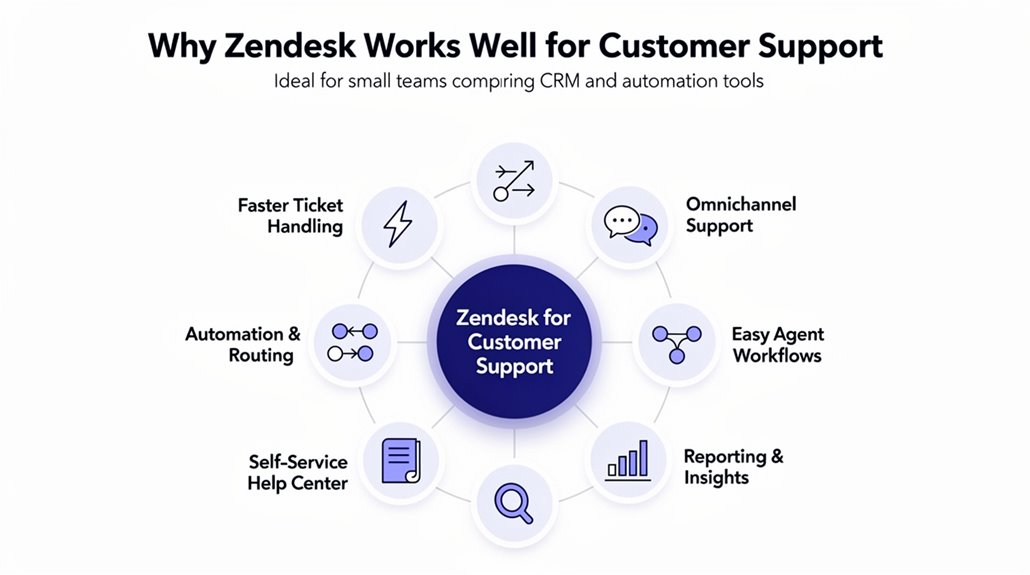
You’ll appreciate Zendesk’s seamless omnichannel interface that lets you handle customer conversations across multiple platforms without missing a beat. Its AI-driven ticket management speeds up response times by intelligently routing requests where they need to go. Plus, with over 1,500 app integrations, you can easily connect Zendesk to the tools your team already uses.
Omnichannel Support Efficiency
Because managing customer communications across multiple channels can quickly become overwhelming, Zendesk’s intuitive omnichannel interface helps your support team stay organized and responsive. This customer service software unifies customer interactions from email, chat, social media, and more, ensuring no message slips through the cracks. With over 1,500 integrations available, you can seamlessly connect Zendesk to your existing tools, boosting workflow efficiency. Zendesk also provides robust reporting and analytics to track performance metrics, helping your team identify areas for improvement. Plus, built-in automation allows you to automate repetitive tasks, saving valuable time and improving customer satisfaction. Key benefits include:
- Centralized omnichannel support for streamlined communication
- Extensive app integrations to enhance your tech stack
- Customizable reporting for actionable insights
- Automation features that optimize team productivity
AI-Driven Ticket Management
Zendesk’s AI-driven ticket management system transforms how support teams handle requests by automatically routing and triaging tickets to the right agents. This AI-driven ticketing system speeds up response times, boosting customer satisfaction by ensuring service requests are addressed efficiently. As part of its CRM capabilities, Zendesk integrates smoothly with over 1,500 business tools, allowing you to streamline workflows using powerful automation tools. Its AI-powered content suggestions help agents resolve issues faster, reducing manual effort. Plus, extensive reporting and analytics give you clear insights into performance metrics, helping you measure and improve your customer support operations. If you want a smarter way to manage support tickets while enhancing overall service quality, Zendesk’s AI-driven approach offers a robust solution tailored for small teams.
Integration Flexibility
When your support team needs to juggle multiple tools and channels, having a system that easily connects them all can make a world of difference. Zendesk stands out for its integration flexibility, offering over 1,500 app integrations to link your CRM, marketing automation, and project management tool seamlessly. Unlike HubSpot, Zendesk’s unified agent workspace lets small teams manage conversations across various channels effortlessly.
Here’s why it works well for customer support:
- Centralizes customer data for quick access
- Enhances reporting and analytics for performance insights
- Streamlines sales pipeline management integration
- Supports AI-driven routing to prioritize requests
This connectivity simplifies workflows and helps your team focus on what matters: stellar customer service.
Salesforce and Zoho: Scalable CRMs for Small and Growing Teams
Choosing the right CRM can make a big difference as your small team starts to grow. Salesforce and Zoho stand out as scalable CRM options tailored for small teams and growing businesses. Salesforce, starting at $25 per user/month, offers deep customization and robust reporting, ideal if you need powerful tools for lead management and sales automation. Zoho provides a more cost-effective alternative, beginning at $7 per user/month, with no-code tools that let you set up quickly and a forever-free trial for basic features. Both platforms enhance customer engagement through extensive sales automation, helping you stay connected with prospects and clients. While Salesforce excels in integration with popular apps like Outlook and Teams, Zoho’s extensive suite of applications allows you to expand functionality beyond traditional CRM tasks. Whether you prioritize advanced customization or budget-friendly scalability, both Salesforce and Zoho offer strong, adaptable CRM solutions to support your team’s growth. For teams that want to explore additional options, HubSpot is another strong contender, offering over 1,000 integrations that connect marketing automation, sales, and customer service tools within a single ecosystem.
Must-Have Integrations and Customization for Small Team CRMs
Effective integrations and customization are essential for small teams aiming to maximize their CRM’s value. When choosing a customer relationship management (CRM) system, you want tools that fit your unique workflow and boost productivity. Seamless integrations with essential tools like email platforms, project management software, and accounting systems help you streamline data management and reduce manual tasks. Customization features are equally important—they let you tailor workflows and user-defined fields to your team’s specific needs. Automation within these CRMs simplifies tasks like follow-up emails and lead scoring, saving you time and effort.
Look for integrations that support:
- Automation tools like Zapier for smooth data transfer
- Third-party platforms such as Slack or Microsoft Teams for better collaboration
- Project management and accounting software for end-to-end workflow
- Flexible customization features that adapt to your processes
These integrations and customization features turn your CRM into a powerful, connected hub that drives small team success.
How to Choose the Right CRM and Automation Combo
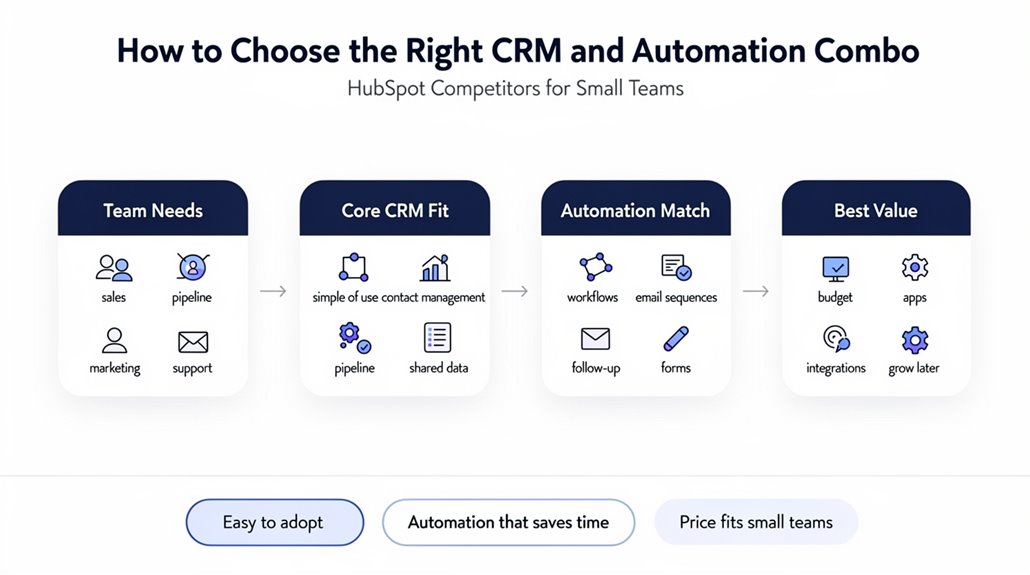
How do you find the ideal CRM and automation combo for your small team? Start by focusing on customer relationship management (CRM) systems that provide seamless integration with third-party apps, boosting data flow and cutting manual entry—Salesforce and Zoho excel here. Next, scrutinize pricing structures to guarantee affordability without sacrificing key automation features; ActiveCampaign’s plans, starting at $19 per user/month, are worth considering. User-friendliness is important, too—platforms like Freshsales offer free trials to test ease of onboarding. Don’t overlook robust reporting capabilities; tools like Pipedrive provide visual sales pipeline insights essential for tracking performance. Finally, prioritize customization of workflows to adapt to your unique processes and support growth, features available in Monday.com and Zendesk. By weighing these factors, you’ll confidently evaluate HubSpot competitors and pick a CRM and automation combo that fits your small team’s needs perfectly.
Frequently Asked Questions
What’s a Good CRM Other Than Hubspot?
If you’re looking for the best CRM alternatives, consider options like Pipedrive or Zoho CRM. They offer user-friendly CRM features, great CRM customization tools, and solid CRM integration options. Pricing strategies vary, so you can find one that fits your budget. Pipedrive is excellent for sales teams, while Zoho works well for startups. Plus, both have mobile CRM apps and responsive CRM customer support to keep you connected on the go.
What Are the Top 5 CRM Tools?
The top 5 CRM tools you should consider are Salesforce, ActiveCampaign, Zoho CRM, Pipedrive, and Freshsales Suite. They all offer excellent customer engagement, sales forecasting, and lead management. You’ll find pricing comparison easy, with options tailored to small teams. Each has a user-friendly interface, strong customization capabilities, and various integration options. Plus, mobile accessibility, analytics features, and reliable customer support mean you’ll stay connected and informed wherever you go.
Is Hubspot Losing Traffic?
Yes, HubSpot is losing traffic according to website analytics showing a significant traffic decline. Their SEO performance seems to be slipping, which affects lead generation and conversion rates. If you’re analyzing competitor behavior, you’ll notice market trends favor alternatives with better user engagement. To stay relevant, HubSpot must revisit its content strategy, adapt to shifting audience behavior, and improve competitiveness by addressing these challenges through thorough competitor analysis.
Who Are Hubspot Competitors for Marketing Automation?
If you’re exploring marketing automation, check out ActiveCampaign reviews for its strong automation and affordable plans. Mailchimp features great email capabilities, while Marketo pricing can be steep but powerful. Constant Contact comparisons often highlight ease of use. Pardot benefits B2B users, and GetResponse automation offers versatile tools. Infusionsoft insights reveal CRM strength. Zoho Campaigns and Sendinblue analysis show budget-friendly options. SharpSpring synthesis blends automation with CRM, making these solid HubSpot competitors.