
CRM Software Comparison for Small Businesses: Pipelines, Automation, Reporting, and Cost
Aiming to simplify CRM choices, discover which pipeline features and automation tools truly boost small business growth while balancing cost and ease of use.
When you’re choosing CRM software for your small business, it’s easy to get overwhelmed by features and pricing. You need tools that adapt to your unique sales process, automate tedious tasks, and deliver clear insights without a steep learning curve. But balancing functionality with cost can be tricky. Understanding which pipeline features and automation options truly add value could make all the difference for your team’s efficiency and growth.
Which Pipeline Features Really Matter for Small Business CRMs?
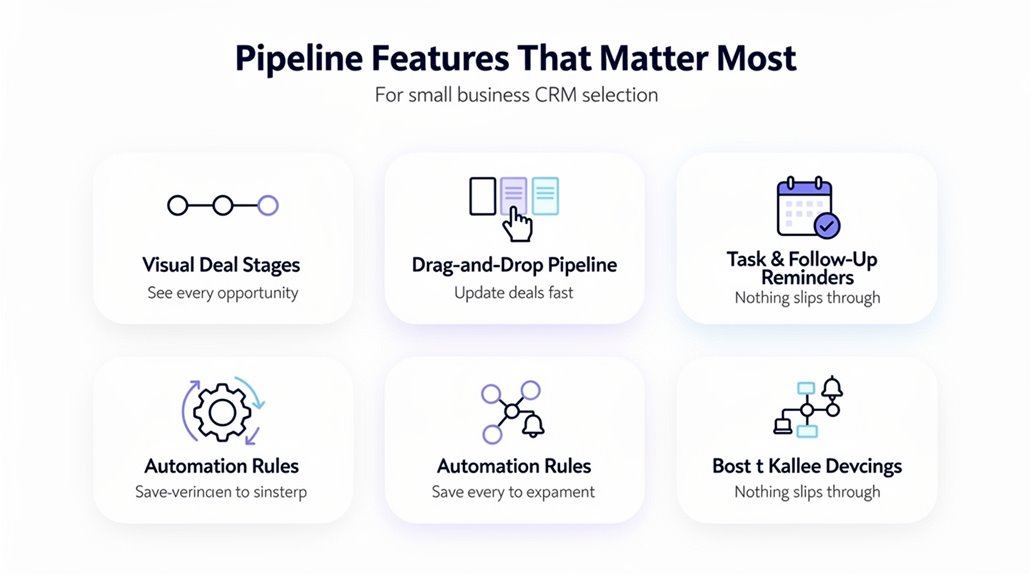
What pipeline features should you prioritize when choosing a CRM for your small business? First, look for a CRM that offers a clear visual pipeline view. This helps you understand your sales processes at a glance and makes tracking deals straightforward. Small business CRMs with customizable pipelines let you tailor stages to fit your unique sales techniques and manage diverse customer relationships effectively. You’ll also benefit from pipeline features that simplify tracking deals, contacts, and activities, reducing the hassle of juggling information. While automation can boost productivity, focus here on how the right communication tools integrated within the CRM support smooth collaboration and real-time updates. These tools keep your team aligned throughout the sales cycle, improving efficiency without extra complexity. Prioritize a CRM that balances these pipeline capabilities to streamline your sales process, enhance productivity, and strengthen customer relationships for your growing business. Pipedrive stands out for small businesses seeking intuitive pipeline management, as it offers a visual sales pipeline specifically designed for easy lead tracking and deal progression.
How CRM Automation Boosts Sales Efficiency for Small Teams
Boosting your sales efficiency starts with reducing time spent on manual tasks. CRM automation does this by cutting down on tedious data entry and routine follow-ups, freeing your small team to focus on closing deals and strengthening customer relationships. Tools like automated reminders and follow-ups improve lead management, helping you convert prospects more effectively without extra effort.
Communication gets smoother too, as automated syncing of emails and scheduling keeps you consistently connected with leads and clients. AI-powered scoring in some CRMs helps prioritize your hottest leads, ensuring your team allocates time where it matters most in the sales process.
Additionally, cost CRM for small businesses often includes automated reporting features that provide quick insights without hiring extra staff or spending hours analyzing data. By leveraging CRM automation, your small team can work smarter, boost sales efficiency, and focus on building lasting customer relationships without unnecessary overhead. Platforms like ActiveCampaign and HubSpot further enhance this efficiency by offering real-time analytics and tracking that provide instant visibility into open rates, click-through rates, and conversions to help small teams refine their strategies on the fly.
Comparing Reporting Tools: Which CRM Offers the Best Insights?
When choosing a CRM, the quality of its reporting tools can make a huge difference in how well you understand and act on your sales data. For small businesses, having user-friendly, customizable reports and powerful analytics is key to boosting sales performance and gaining actionable insights. HubSpot shines with AI-powered reporting tools that let you create detailed, customized reports easily. Zoho CRM’s AI assistant Zia offers deep analytics and suggests improvements based on your sales activity. Pipedrive focuses on simplicity, providing customizable dashboards that quickly highlight key metrics. Freshsales adds AI-driven lead scoring but offers less advanced reporting. Salesforce Essentials delivers advanced features but may require more setup. Beyond reporting, analytical CRM capabilities help businesses analyze customer data to uncover actionable insights that drive smarter sales decisions and long-term growth.
| CRM Software | Reporting Features |
|---|---|
| HubSpot | AI-powered, customizable reports |
| Zoho CRM | AI assistant analytics |
| Pipedrive | User-friendly dashboards |
| Freshsales | Lead scoring, basic reporting |
| Salesforce Essentials | Advanced but complex reporting |
What Small Businesses Should Know About CRM Pricing
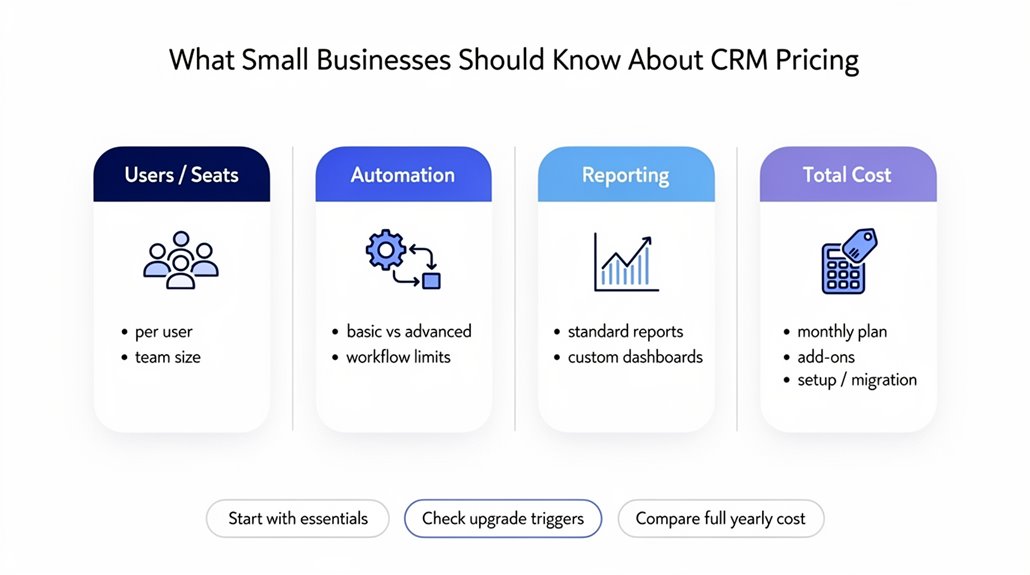
Understanding CRM pricing means looking closely at transparent pricing structures and how costs add up per user. You’ll want to find budget-friendly packages that still pack the features your business needs. Keeping an eye on both the price and value helps you avoid paying for extras you don’t actually use. Many small businesses find that budget-friendly CRM options priced at $25 or less per month can still deliver essential features like contact management, lead tracking, and automation capabilities.
Transparent Pricing Structures
A clear grasp of CRM pricing structures can help you choose a system that fits your budget without surprises. CRM pricing usually involves monthly fees based on tiered plans, reflecting different feature levels—from low-cost CRM options with essential features to advanced tools for complex needs. Many providers offer free trials, letting you explore usability before committing financially. When evaluating cost CRM for small businesses, consider more than just the base price: implementation costs and ongoing support can add up. Transparent pricing structures guarantee you know what you’re paying for, avoiding hidden fees. Whether you opt for a low-cost CRM or a more advanced system, understanding each plan’s exact offerings and any additional expenses will keep your investment predictable and aligned with your business needs.
Cost Per User Analysis
Choosing the right CRM means paying close attention to the cost per user, which often varies widely depending on features and service levels. Small sales teams might prefer low cost CRM options starting around $14–$15 per user, covering essential features without advanced reporting. However, CRM cost rises with paid tiers offering richer functionalities. Beware of hidden charges for implementation or training that increase total costs. Here’s a quick cost overview of CRM systems:
| Pricing Tier | Cost Per User/Month |
|---|---|
| Low Cost CRM | $14 – $15 |
| Mid-Range CRM | $29 – $36 |
| High-End CRM | $100+ |
| Enterprise Level | $165+ |
Understanding how pricing plans match your needs helps avoid overspending on unnecessary features.
Budget-Friendly Feature Packages
Though budget constraints might limit your options, many CRM providers offer feature packages priced between $9 and $30 per user per month that deliver essential tools without breaking the bank. As a small business owner, you’ll find budget-friendly CRM software with tiered pricing plans tailored to various needs, balancing cost with capabilities. Automation features, often included even in lower tiers, help streamline your workflow and improve efficiency. Don’t forget to evaluate the total cost of ownership, including implementation and training, beyond the monthly fees.
Keep in mind:
- Free trials let you test usability and guarantee the CRM matches your workflow before buying.
- Basic plans include core functions like contact management and reporting.
- Higher tiers access advanced automation and integrations, raising the cost of CRM but expanding value.
Key CRM Integrations Small Businesses Need
You’ll want a CRM that syncs smoothly with your email and calendar to keep communication and scheduling seamless. Connecting invoicing and payment tools helps you handle finances without leaving the platform. Also, integrating communication tools lets you stay on top of customer interactions all in one place. Platforms like Monday CRM connect with hundreds of popular business apps, allowing your team to collaborate more effectively and reduce time spent on manual data entry.
Email And Calendar Sync
When your email and calendar tools sync directly with your CRM, managing communications and schedules becomes much simpler. This seamless integration boosts productivity by consolidating client interactions and meeting details under one roof. With email sync and calendar integration, you’ll benefit from automated email logging and real-time notifications, so nothing slips through the cracks.
CRM tools designed for small teams make this process straightforward, reducing onboarding time and enhancing ease of use. Leading options like HubSpot and Pipedrive support popular email providers for reliable synchronization.
Key benefits include:
- Eliminating missed follow-ups via automated email logging
- Staying on top of deadlines with real-time calendar notifications
- Enhancing visibility into client interactions across your team
This level of integration is essential for efficient, organized small business operations.
Invoicing And Payment Integration
Beyond keeping your emails and calendars in sync, integrating invoicing and payment functions within your CRM can greatly streamline how you manage finances. Invoicing integrations in CRM software let small businesses create invoices directly from sales data and reduce errors by cutting down manual data entry. Features like customizable invoice templates and automated billing reminders help you stay organized and guarantee timely payments. Plus, by integrating invoicing with popular payment processors such as Stripe or PayPal, you can streamline transactions and improve cash flow management. These integrations simplify your financial processes, saving you hours of administrative work each month and allowing your team to focus more on sales and customer engagement, making your business operations more efficient and effective.
Communication Tool Connectivity
Although managing customer relationships involves many moving parts, integrating your CRM with communication tools like Gmail, Outlook, or Slack can greatly simplify your workflow. Effective communication tool connectivity in CRM systems streamlines workflows, enhances team collaboration, and improves data accuracy. By automating email communication, you save valuable time while guaranteeing timely follow-ups through real-time updates. Calendar integrations keep your schedule organized, syncing meetings and deadlines seamlessly.
Key benefits include:
- Automating email communication reduces manual work, freeing up to 10 hours weekly.
- Real-time updates via integrations boost customer engagement by maintaining prompt responses.
- Calendar integrations improve time management for small teams, supporting efficient workflows.
Choosing CRM systems with robust communication tool connectivity guarantees your business stays organized and responsive.
How to Find a CRM That’s Simple Enough for Your Small Team
How do you choose a CRM that your small team will actually use and benefit from? Start by focusing on a simple CRM with intuitive interfaces and minimal onboarding, so even team members with limited tech experience can adapt quickly. You’ll want easy tracking of customer relationships and sales activities without overwhelming features. Centralized pipeline views with visual management tools help keep your sales process clear and manageable. Look for automation features that streamline tasks like email follow-ups and lead scoring, freeing up time for what matters most. Make certain the CRM integrates seamlessly with your existing tools—email, calendars, and more—to avoid workflow disruptions. Prioritizing these qualities guarantees your small team stays productive and connected, managing customer relationships effortlessly while avoiding complicated setups or unnecessary functions. Choosing the right CRM means finding the perfect balance between power and simplicity tailored to your team’s unique needs.
CRM AI Features That Help Small Businesses Work Smarter
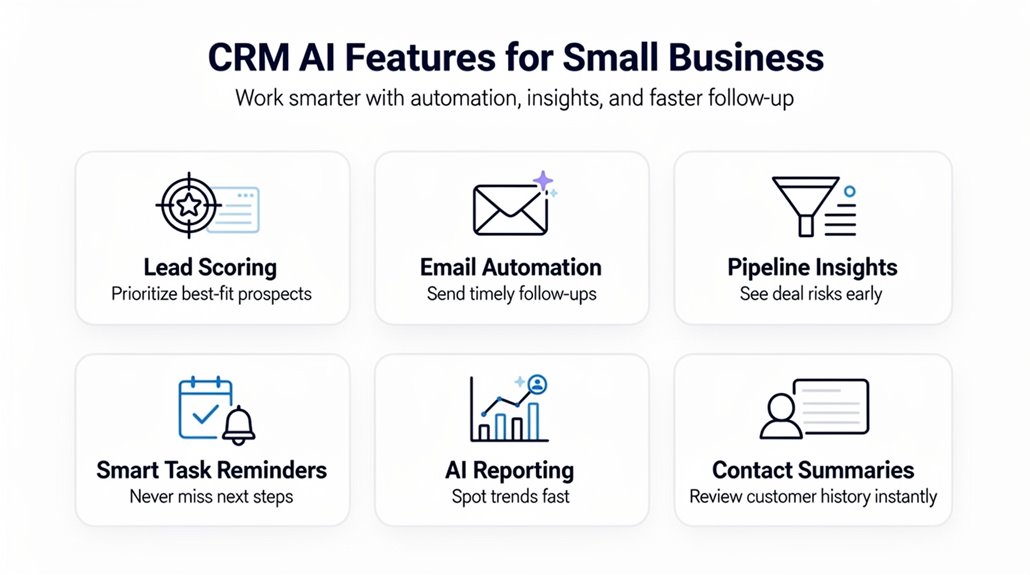
When you integrate AI features into your CRM, you’ll find it’s easier to prioritize leads, automate routine tasks, and keep data accurate without extra effort. CRM software designed for small businesses enhances operational efficiency by streamlining workflows and improving customer engagement. AI-powered lead scoring helps you focus on prospects with the highest conversion potential, saving time and boosting sales success. Automation reduces manual work, letting your team concentrate on meaningful interactions rather than repetitive tasks. Plus, improved reporting accuracy means you get actionable insights faster, helping you make smarter decisions.
Key AI-driven benefits include:
- Automated data entry from calls and emails to maintain data accuracy and reduce errors
- Customized workflows that simplify complex tasks and enhance operational efficiency
- Advanced reporting tools that analyze user behavior for better forecasting and strategy
These AI features in CRM software help small businesses work smarter, not harder, by improving productivity and driving growth.
How to Choose the Right CRM for Your Sales Process and Budget
What features does your sales process truly need from a CRM? To choose a CRM that fits your small business, start by identifying essential CRM features like sales pipeline tracking, automation tools, and customer communication. These elements help streamline lead management and follow-ups, boosting efficiency. Next, balance functionality with budget constraints by examining total costs—including monthly fees and hidden expenses. Opt for user-friendly CRMs that require minimal onboarding so your team can jump in quickly. Pay attention to flexible pricing structures, such as tiered plans or freemium versions, allowing you to scale without overspending. Don’t skip free trials—they’re invaluable for testing how well a CRM aligns with your daily operations and sales workflow. By focusing on these factors, you’ll choose a CRM that supports your sales process while staying within budget, making it easier to grow your small business effectively.
Frequently Asked Questions
What Is the Best CRM System for Small Businesses?
The best CRM system for your small business depends on your needs. If you want excellent customer relationship management with a user-friendly interface, HubSpot offers great software features and mobile accessibility. For customization options and integration capabilities, Zoho might fit better. Consider support services, user reviews, and data security when choosing. Also, keep scalability concerns in mind to guarantee it grows with you. Ultimately, pick what aligns best with your priorities.
How Much Does Pipeline CRM Cost?
Pipeline CRM pricing starts around $14 per user monthly, with scalable subscription tiers to fit startups and growing teams. You’ll find basic features at lower costs, while advanced automation and reporting come in higher tiers. Keep an eye out for hidden fees like integrations or extra modules. Their free trial lets you evaluate ROI effortlessly. Comparing costs emphasizes that user support and integration options can impact your total spend and long-term scalability.
What Are the 4 Types of CRM?
The four types of CRM are Operational, Analytical, Collaborative, and Strategic. You’ll find these widely integrated in Cloud based CRM and Mobile CRM options. Collaborative CRM enhances teamwork, while Sales focused and Customer centric CRM fit Operational and Strategic types. AI driven CRM adds smart analytics like Analytical CRM. If you want flexibility, Customizable and Open source CRM let you tailor features. Social CRM boosts engagement, and Industry specific CRM fits niche needs perfectly.
What Are the Best CRM Platforms That Automate Follow-Ups and Pipeline Management?
You’ll find Sybill and Freshsales great for automating follow-ups with automated reminders and lead scoring, plus email integration to streamline communication. Pipedrive’s user interface and pipeline management offer clear sales forecasting. HubSpot stands out with custom reporting and mobile access while maintaining strong data security. Zoho CRM shines in customer segmentation and integration capabilities, letting you customize workflows. All these platforms balance automation and pipeline management for small businesses effectively.