
How to Choose CRM Software Without Paying for Features Your Team Never Uses
How can you select CRM software that fits your team perfectly without overspending on unused features? Discover the smart approach here.
When choosing CRM software, it’s easy to get overwhelmed by all the features that promise to boost productivity. But if you don’t clearly understand what your team actually needs, you could end up paying for tools that gather dust. The key is to pinpoint the essentials without falling for every shiny add-on. Before making a decision, you’ll want to explore how to balance functionality, cost, and usability—so your investment truly pays off.
Understand Your Team’s CRM Needs
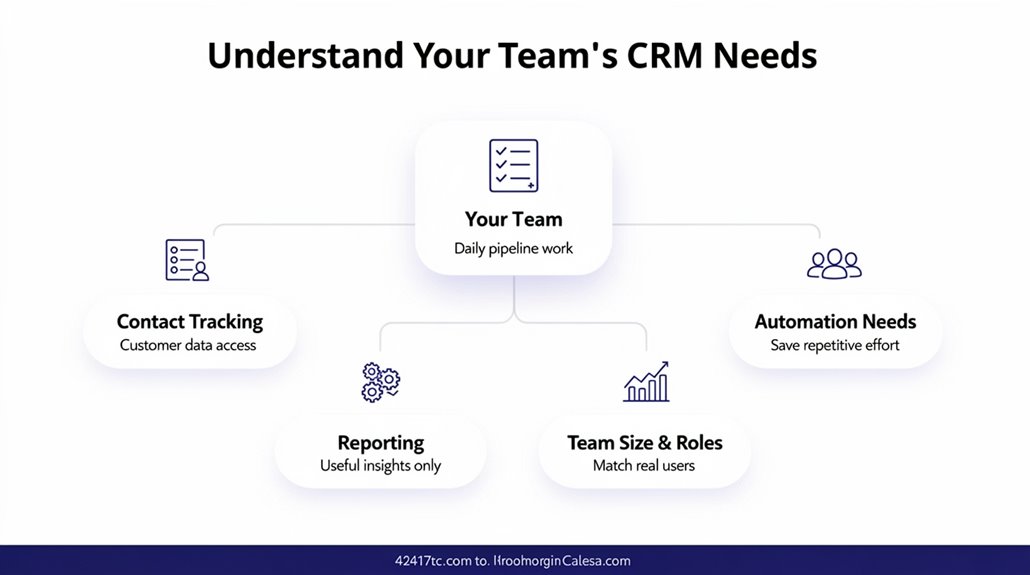
Before choosing a CRM, you need to clearly define what your team actually requires—whether it’s contact management, pipeline visualization, or task management—so the software truly supports your daily operations and goals. For small businesses, understanding these core needs is critical to avoid paying for features your team rarely uses. Start by conducting a survey to pinpoint essential tools that boost productivity and separate them from those less valuable. Review current workflows and engagement processes to determine which automation tools and workflow automation features will streamline daily tasks. Pay close attention to usage patterns in existing tools to focus on maximizing user satisfaction. Prioritize CRM solutions offering customizable options, so you can start with only the features your team genuinely needs and scale up as business demands evolve. Budgets for CRM software typically range from $10 to $80 per user monthly, making it essential to match your spending to only the features that align with your specific business goals. This targeted approach guarantees you invest in CRM features that directly enhance your team’s efficiency without unnecessary costs or complexity.
Identify Must-Have CRM Features for Your Team
Once you’ve pinpointed what your team needs from a CRM, the next step is to identify the specific features that will support those requirements. Focus on must-have CRM features like contact management, sales pipeline visualization, and task management—these core functions keep your customer interactions organized and your sales process clear. Email integration is a must to centralize communication and boost engagement. Don’t overlook automation features; they save time by handling repetitive tasks. Team collaboration tools and customizable dashboards help tailor workflows and improve coordination. Also, consider user limits, especially if you’re choosing free CRM platforms—they often fit small teams without unnecessary extras. Platforms like HubSpot and Zoho CRM are particularly well-suited for smaller teams, with subscription-based pricing models that allow businesses to add users and expand features as their needs evolve.
| Feature | Purpose | Ideal for |
|---|---|---|
| Contact Management | Track all customer info | All teams |
| Sales Pipeline | Visualize and manage deals | Sales-focused workflows |
| Email Integration | Streamline communication | Teams needing fast response |
| Automation Features | Reduce repetitive tasks | Efficiency-driven teams |
| Customizable Dashboards | Tailor views to team needs | Flexible workflow environments |
Avoid Paying for Features Your Team Won’t Use
How do you guarantee your team only pays for CRM features they’ll actually use? Start by evaluating your team’s needs closely. For small teams especially, focus on essential features that streamline workflow without overwhelming users. Free CRM options like HubSpot offer robust capabilities and a minimal learning curve, allowing you to test what truly fits before committing. Use free trials to experience features firsthand and identify what’s genuinely valuable. Engage your team in discussions or surveys to pinpoint features they’ll actively use, ensuring your investment aligns with their day-to-day tasks. Regularly review your CRM usage for unused features or excess subscriptions—you can often adjust or downgrade plans to avoid paying for what’s unnecessary. When comparing paid options, look for budget-friendly CRM pricing at $25 or less per month to ensure you’re getting essential functionality without overspending on advanced tools your team won’t need. By combining careful evaluation, free trials, and team feedback, you prevent overpaying on costly extras and keep your CRM focused, efficient, and tailored to your actual needs.
Compare Free and Paid CRM Software Options
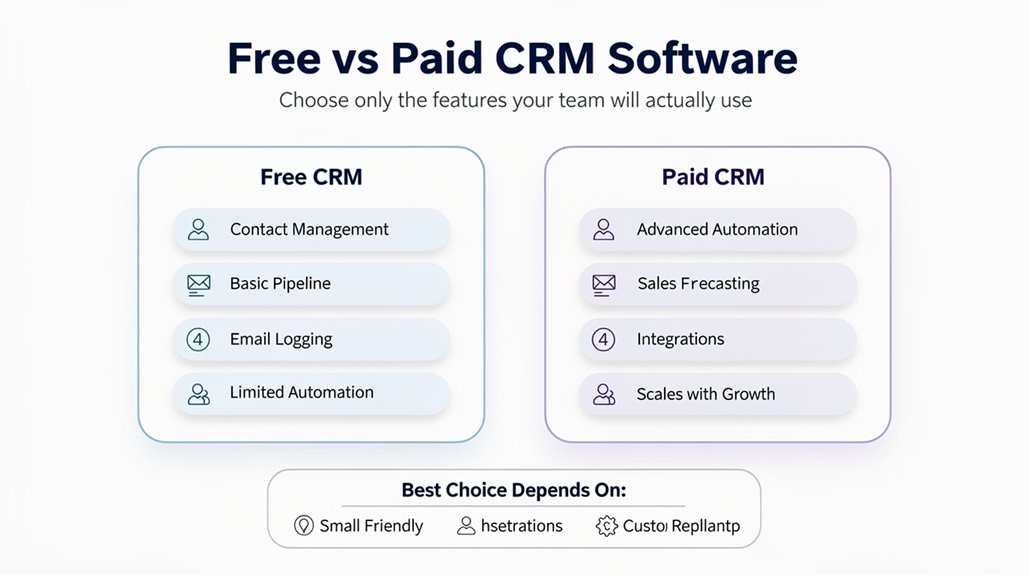
Why choose between free and paid CRM software? Free CRM solutions like HubSpot and Zoho offer basic CRM features such as contact management and email integration, covering core essential tools that help sales teams manage customer relationships efficiently without upfront costs. These free plans let you evaluate CRM software to see if it fits your workflow before committing to a paid plan. However, as your business grows, you’ll need to assess features they need beyond the basics—like scalability, automation, and analytics—that paid plans often provide. Paid CRM options come with advanced functionalities but may include extras your team won’t fully use, leading to unnecessary expenses. Also, free CRMs typically impose user limits and storage caps that may restrict future growth. For businesses that need more robust capabilities without a large upfront investment, platforms like GoHighLevel offer unlimited users at around $97 per month, bridging the gap between free and enterprise-level solutions. So, carefully compare your current needs and anticipate expansion to choose the right balance between free CRM solutions and paid plans that suit your team’s size and goals.
Evaluate Usability and Customization Options
You’ll want a CRM with a simple user interface that your team can pick up quickly without confusion. It should also offer flexible customization to fit your unique workflows and avoid clutter. Plus, role-based access is key to ensuring everyone sees exactly what they need. Prioritizing ease of use can also support faster team adoption, as mobile accessibility allows your team to engage with leads from anywhere.
User Interface Simplicity
What makes a CRM truly easy to use? It’s all about a user-friendly interface that boosts usability and helps your team navigate CRM software effortlessly. When a CRM is easy to use, it minimizes training, letting your team focus on core customer relationship management instead of figuring out complex features. Many free CRM options include drag-and-drop tools, making it simple to customize dashboards or pipelines without needing technical skills. Intuitive designs, like those in HubSpot and Agile CRM, score high for usability because they reduce the learning curve. Plus, with customization options, you can tailor the software to your specific workflows, keeping only what’s relevant and avoiding clutter. A straightforward interface guarantees your team spends time on what really matters—building strong customer relationships.
Customization Flexibility
Many CRM systems today offer impressive customization flexibility, allowing you to tailor features to match your unique business processes. Prioritize a user-friendly design with drag-and-drop interfaces so your team can quickly adapt without frustration. Effective integration options are key too; they enable seamless workflows by connecting with tools you already use, boosting overall productivity. Customizable dashboards and robust reporting tools provide tailored insights that make data management more relevant and actionable for your specific needs. While role-based customizations help further personalize the experience, focus here on how these usability options streamline operations and avoid cluttering your CRM with unused features. Choosing software with thoughtful customization flexibility guarantees your team works smarter, not harder, by leveraging only the tools that truly support your goals.
Role-Based Access
When your CRM system offers role-based access, it guarantees each team member sees only the tools and information relevant to their duties, making the platform easier to use and less overwhelming. Role-based access enhances usability by creating tailored user experiences, giving team members features that fit their specific roles. Customization options let you personalize dashboards and workflows, ensuring only relevant information is displayed. This not only streamlines daily tasks but also bolsters data security by restricting access to sensitive information based on job responsibilities. Regularly evaluating and adjusting these settings helps you optimize CRM functionality, keeping the software aligned with evolving business needs. By focusing on role-based access and customization options, you’ll avoid paying for unnecessary features while maximizing efficiency and security across your team.
Test CRM Software With Free Trials and Demos
You’ll want to take advantage of free trials to test out a CRM’s full features without any risk. Hands-on demos give you a real feel for how the software fits your daily workflows and team needs. By comparing options this way, you can choose the CRM that truly supports your business.
Trial Period Benefits
Free trials ranging from 14 to 30 days let you explore a CRM’s full features without commitment, giving your team valuable hands-on experience. Trial periods help you assess functionality, user experience, and software features tailored to your team needs. You can also test customer support responsiveness, guaranteeing reliable assistance if issues arise. Using these free trials from various CRM providers leads to cost savings by avoiding payment for unused features, optimizing customer relationship management investments.
| Aspect | What to Test | Benefit |
|---|---|---|
| Software Features | Core & advanced functions | Match team needs precisely |
| User Experience | Interface ease & navigation | Improve adoption & efficiency |
| Customer Support | Response time & helpfulness | Guarantee quick problem resolution |
| Cost Savings | Feature value vs. pricing | Avoid unnecessary expenses |
Demo Hands-On Experience
How can you be certain a CRM fits your team’s needs before making a commitment? The answer lies in a demo hands-on experience using free trial periods. Signing up for trials, typically lasting 14 to 30 days, lets you test CRM tools firsthand, focusing on user-friendly features and essential features like contact management and pipeline visualization. During this time, collect feedback from your team to evaluate daily workflow benefits and spot any unnecessary functions. Also, use demo accounts to assess customer support responsiveness and integration capabilities with your current systems. This hands-on approach guarantees the CRM you choose matches your operational needs without paying for extras your team won’t use, assuring a smoother shift and better ROI from the software.
Plan for Growth Without Overbuying Features
When planning your CRM, it’s essential to focus on features that match your current needs and anticipated growth to avoid paying for capabilities you won’t use. Start by evaluating requirements across your team members to identify essential features that support the customer journey and your core functions. Engage your team to understand what tools they truly need, ensuring the CRM offers relevant functionality without unnecessary extras.
Leverage free trials from various providers to test how well each system fits your workflows before committing. Many CRM free plans, like HubSpot or Agile CRM, cover essential features for small teams, letting you manage key tasks without extra costs. This is a smart way to plan for growth, as it enables you to start lean and scale your CRM use only when more advanced capabilities become necessary. Regularly reviewing your needs helps you stay aligned with your business changes without overbuying.
Know When to Upgrade From a Free CRM
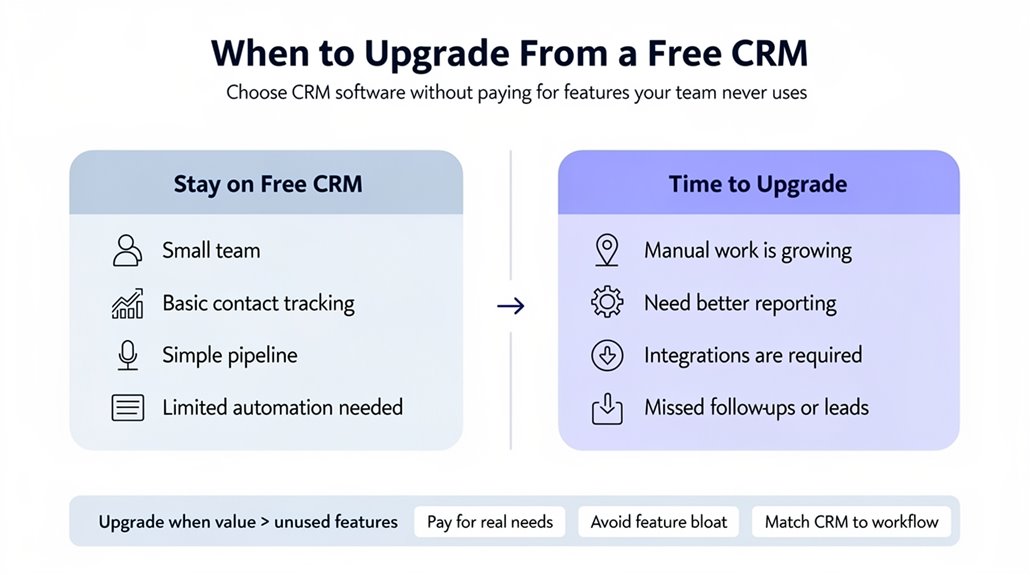
Many businesses find that their initial CRM needs evolve quickly, making it important to recognize the right moment to move beyond a free plan. Track your team’s usage to spot underutilized features in your free CRM, as this helps determine which tools truly add value. If your team consistently hits limits on users, contacts, or customization, an upgrade can reveal essential features that boost productivity. Assess whether your current system supports your sales processes efficiently; limitations like storage caps or missing analytics might be slowing you down. Also, consider customer support—if your team needs more guidance than the free plan offers, moving to a paid version guarantees better assistance. Upgrading lets you access scalable tools tailored to your growing business, improving overall efficiency without paying for unnecessary extras. Remember, the right time to upgrade is when your free CRM’s limitations start hindering your team’s ability to meet goals effectively.
Frequently Asked Questions
Is There a Free CRM Software Option?
Yes, you can find free CRM software options like HubSpot and Zoho CRM that align with your user needs. When choosing, focus on feature comparison, ensuring the user interface is intuitive and data security meets your standards. Look for mobile access, integration options, and customer support. Check customization capabilities, tracking features, and scalability potential so it grows with your team without paying for unused features.
What Is the Cheapest and Best CRM?
If you’re after the cheapest and best CRM, consider affordable options like HubSpot or Zoho CRM—they offer essential features with user-friendly interfaces perfect for small businesses. Keep scalability concerns and customization limits in mind, as some free plans restrict these. Look for good integration capabilities, solid customer support, and trial periods to test fit. Pricing strategies vary, so choose one that grows with you without hidden costs or overwhelming extras.
Is There a Free Less Annoying CRM?
No, Less Annoying CRM doesn’t offer a free plan, but its user experience, interface design, and simple user onboarding make it worth the cost. When doing a feature comparison, you’ll find it focuses on essentials without overwhelming customization options or complex marketing integration. It offers mobile accessibility, strong customer support, security features, and smooth data migration. If you want straightforward CRM without paying for extras you won’t use, it’s a solid choice.
What Are the 4 Types of CRM Systems?
The four types of CRM systems are Operational, Analytical, Collaborative, and Campaign CRMs. When choosing, consider Cloud Solutions or On Premise Options based on your needs. You’ll want Open Source or Industry Specific software with strong Integration Capabilities and Mobile Compatibility. Look for Customization Levels that fit your team, a user-friendly User Interface, robust Automation Features, and powerful Analytics Tools to enhance decision-making and workflows efficiently.