
Best CRM Software for Small Businesses: Top Tools to Manage Leads, Sales, and Customer Relationships
Unlock the potential of your small business with CRM tools designed to simplify leads, sales, and customer management like never before.
If you’re running a small business, you know how essential it is to keep track of leads, sales, and customer interactions without feeling overwhelmed. Choosing the right CRM can simplify these tasks, but with so many options available, it’s tough to know which one fits your needs and budget. Understanding what features truly matter and how they can support your growth might just change how you manage your customer relationships.
What Small Businesses Need From a CRM System
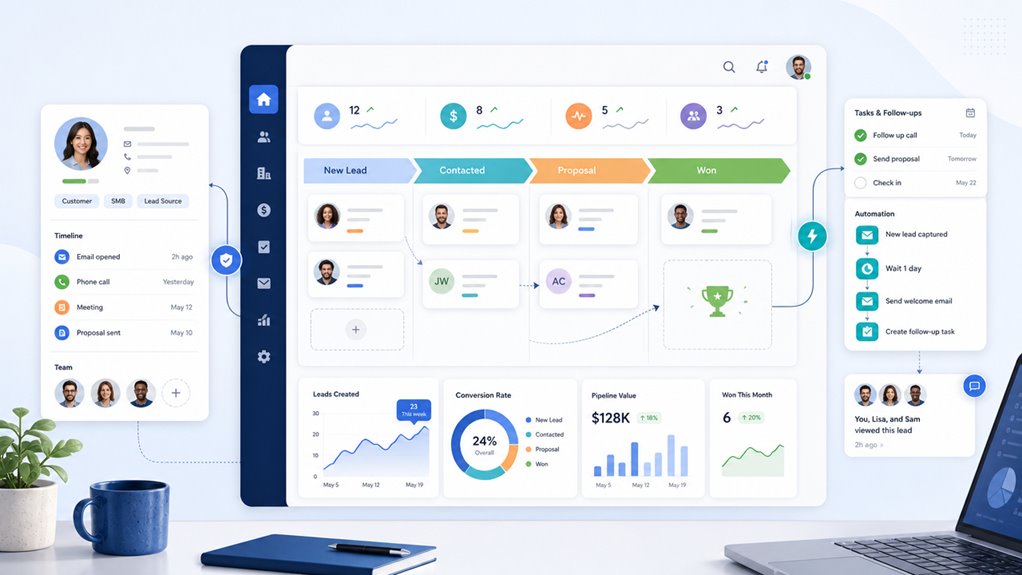
While small businesses have unique challenges, choosing the right CRM system boils down to finding one that centralizes customer data to help you offer personalized service and streamline interactions across all channels. You need a CRM that supports efficient contact management and lead tracking to keep your sales processes organized and effective. Since budget constraints are common, it’s smart to look for solutions priced at $25 or less per month without sacrificing essential features. Automation capabilities are essential—they reduce manual work, letting you focus more on building strong customer relationships. Also, a user-friendly interface is a must because you likely have limited IT support and want your team to adopt the system quickly. Integrations with marketing tools will further boost your outreach, making the CRM an all-in-one platform that helps manage leads, sales, and communications effortlessly. All these elements combine to support your small business growth efficiently.
How to Choose the Right CRM for Your Business
Choosing the right CRM for your business starts with understanding your specific needs and goals. Begin with a thorough needs assessment to pinpoint challenges and define which CRM features will truly benefit you. Next, review your current tools to verify the CRM you choose can integrate with email and other systems you already use, making adoption smoother. Budget realistically for an affordable CRM that balances cost with essential features, strong customer support, and usability. Prioritize user-friendly solutions that simplify lead tracking and contact management—this helps your team get on board quickly. Also, consider scalability to guarantee your CRM grows with your business without needing a costly switch later. By focusing on these factors, you’re more likely to choose the best CRM that fits your business perfectly, now and in the future.
Top Small Business CRM Options for 2026
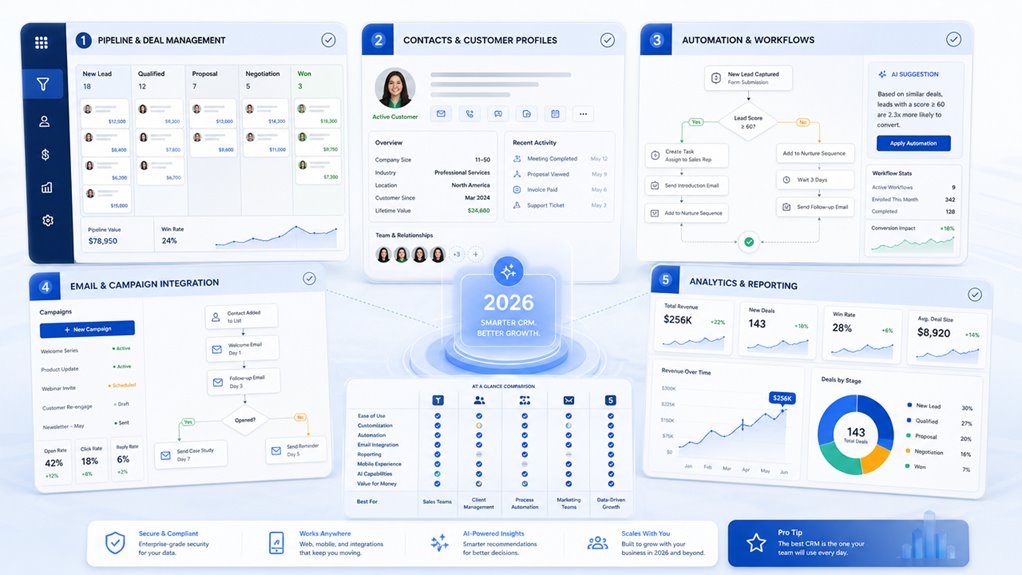
When choosing your CRM for 2026, you’ll find options like Bigin by Zoho, Salesforce Starter Suite, and Less Annoying CRM each offer unique strengths. Comparing features like pricing, integration, and customization will help you pick the best fit for your small business. Let’s explore how these leading solutions stack up to make your decision easier.
Leading CRM Solutions
Several standout CRM solutions cater to small businesses in 2026, each offering unique features tailored to different needs and budgets. Whether you’re after the best CRM software with user-friendly design and affordable pricing or advanced automation features for lead management, these CRM solutions help streamline your Sales Processes and Close deals efficiently.
| CRM Solution | Key Strengths |
|---|---|
| Bigin by Zoho CRM | Affordable pricing, user-friendly design |
| Salesforce Starter Suite | Extensive tools, robust commerce hub |
| Less Annoying CRM | Low-cost, simple customer relationship management |
| Pipedrive | AI assistance, extensive integrations |
| Freshsales CRM | Customizable features, intuitive interface |
Picking a small business CRM depends on your priorities, from scalability to automation features and budget constraints.
Features Comparison Overview
Understanding the distinct features each CRM offers helps you find the best fit for your business needs. In this features comparison overview, top small business customer relationship management (CRM) tools like Bigin by Zoho, Salesforce Starter Suite, and Pipedrive stand out. Bigin by Zoho is perfect if affordability and simple lead and contact management matter most, especially for startups. Salesforce Starter Suite suits you better if you need thorough sales capabilities and scalability but can handle higher subscription costs. Pipedrive excels in sales-focused environments, offering extensive third-party integrations and customizable reporting, though it may lack some advanced CRM features. Each option caters to different priorities, so aligning their strengths with your small business goals guarantees you pick the right tool to manage leads, sales, and customer relationships effectively in 2026.
Compare Pricing, Features, and Usability of Top CRMs
Choosing the right CRM means balancing pricing, features, and ease of use to fit your small business needs. When exploring small business CRM software like Less Annoying CRM, Freshsales CRM, Bigin by Zoho CRM, Pipedrive, and Salesforce Starter Suite, you’ll find varying offers.
Here’s a quick breakdown to help:
- Pricing – Bigin by Zoho CRM is budget-friendly at around $7/user/month, while Less Annoying and Freshsales start at $15, with Freshsales offering a free plan for three users. Salesforce Starter Suite is pricier at $25/user/month.
- Features – Salesforce excels with advanced capabilities; Pipedrive offers AI assistance and integrations, whereas Less Annoying CRM favors simplicity.
- Usability – Freshsales and Bigin prioritize intuitive interfaces, making customer relationship management (CRM) less intimidating.
Must-Have Features in Small Business CRMs
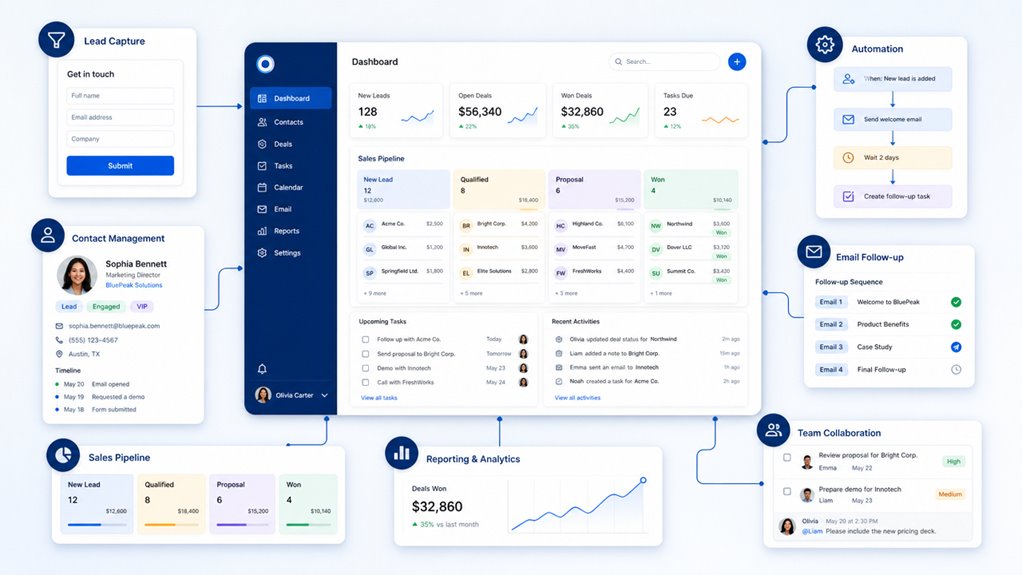
Although many CRM options exist, certain features are non-negotiable for small businesses aiming to streamline customer management and boost sales. To get the most from your customer relationship management (CRM) system, prioritize robust contact management that centralizes customer data and supports personalized customer service. Lead management tools will help you track prospects and move them efficiently through sales pipelines, improving conversion rates. Task management capabilities are essential to keep your team organized by automating reminders and follow-ups, which greatly enhance team productivity. Integrating email marketing directly within the CRM streamlines targeted campaigns, ensuring consistent communication without switching platforms. While a mobile access feature is crucial for staying connected on the go, updating lead statuses and customer interactions anytime. Finally, automation tools that handle repetitive tasks let you focus more on building relationships and closing deals. Choosing a CRM with these must-have features sets the foundation for small business success.
CRM Integrations and Mobile Access Explained
You’ll want to explore CRM integration options that connect your system with tools like email marketing, social media, and project management apps to keep everything in sync. Mobile access lets your team update customer info and respond to leads instantly, no matter where they are. Popular CRMs like Salesforce and HubSpot offer these features, making it easier to manage your business on the go.
Integration Options Overview
Many CRM platforms offer dozens of integration options, letting you connect essential tools like email marketing, project management, and accounting software into one smooth workflow. With powerful CRM software such as Salesforce CRM and Zoho CRM, you gain access to thousands of third-party applications that boost efficiency and streamline customer interactions. For example:
- Salesforce’s AppExchange delivers a vast marketplace of app integrations tailored to your business.
- Zoho CRM offers over 100 customizable CRM app integrations, adapting to your unique needs.
- Mobile access complements these integrations, allowing you to manage contacts and track deals on-the-go.
Choosing a CRM with strong integration options guarantees you can unify your tools, enhance productivity, and create a seamless customer relationship management experience.
Mobile Access Benefits
Integrations make your CRM more powerful, but without mobile access, you might miss out on opportunities while away from your desk. Mobile access lets your sales teams update customer interactions and manage leads with real-time management, so you’re always connected no matter where you are. Top CRM solutions like Salesforce and HubSpot offer mobile apps with full functionality, including sales tracking and reporting tools. This flexibility improves sales productivity by up to 15%, allowing quicker response times that boost service quality and strengthen customer relationships. Plus, seamless integrations with email and calendar tools help you schedule and handle tasks directly from your CRM interface. Embracing mobile access guarantees your teams stay efficient, responsive, and close to your customers at all times.
Popular App Connections
Choosing the right CRM means tapping into a world of app connections that streamline your workflow and keep your team productive. Popular CRM platforms like Salesforce and HubSpot offer robust integration capabilities, letting you sync over 2,000 business apps seamlessly. With these connections, your sales teams can enhance customer engagement and automate routine tasks effortlessly.
Here’s why you’ll love these integrations:
- Use email marketing and social media tools within your CRM to boost customer relationships.
- Access user-friendly mobile apps from CRMs like Zoho and Bigin to track leads and update info anytime.
- Automate data entry and routine processes, freeing you to focus on what matters most — growing your business.
This combination of CRM integrations and mobile access will revolutionize how you manage customer relationships.
How Small Business CRMs Boost Sales and Customer Relationships
When you use a CRM designed for small businesses, you gain a centralized hub for all your customer data, making it easier to track leads and personalize your service. Small business CRMs streamline your sales process by organizing lead tracking and pipeline management, helping you prioritize prospects and close deals faster. They also automate routine tasks like follow-ups and sales activity logging, which enhances team efficiency by freeing up time to focus on nurturing customer relationships. With integrated analytics and reporting, you can refine your sales strategies based on real data, targeting efforts where they matter most. These tools boost customer engagement through targeted campaigns and better communication. Ultimately, small business CRMs empower you to manage your sales funnel more effectively, improve workflow, and deepen your customer connections—giving your business a competitive edge.
Get the Most Out of Your Small Business CRM
Release the full potential of your small business CRM by actively customizing it to fit your unique workflow. With powerful customer relationship management (CRM) platforms, you’re equipped to streamline tasks and strengthen connections. Here’s how to get the most out of it:
- Integrate email marketing tools to personalize outreach and automate follow-ups, saving time while boosting engagement.
- Empower your sales teams with mobile access to update customer interactions and manage pipeline activities anytime, anywhere.
- Regularly review performance metrics and data insights using customizable dashboards to adjust strategies and improve results.
Don’t forget to invest in extensive team training — equipping your staff with the know-how to leverage automation features and pipeline management will maximize adoption and efficiency. By combining these approaches, your CRM becomes a dynamic tool that nurtures leads and drives growth for small businesses.
Frequently Asked Questions
What CRM Is Good for Managing Customer Relationships?
You’ll find HubSpot CRM great for managing customer relationships because it offers excellent customer engagement tools and supports relationship building with intuitive communication strategies. Its user experience is smooth, with automation features that simplify follow-ups. Plus, data analytics provide valuable insights. Integration options and mobile accessibility keep you connected on the go. Different pricing models suit your budget, and reliable customer support guarantees you’re never stuck. It’s perfect if you want a well-rounded CRM.
What CRM Software Is Best for Managing Leads?
For managing leads, you’ll want a CRM with strong lead tracking, sales automation, and pipeline management. Look for one that offers easy contact organization, robust reporting features, and flexible integration options. A user-friendly interface and mobile access let you stay productive on the go. Customization capabilities guarantee it fits your workflow, while reliable customer support helps you tackle any issues. Bigin by Zoho and Pipedrive are top picks that meet these needs well.
What Is the Best CRM System for Small Businesses?
The best CRM system for your small business is one that’s affordable and offers user-friendly interfaces, making the setup process easy. Look for essential CRM features like mobile CRM support, integration capabilities, and customization options to fit your workflow. Strong customer support and automation benefits save time, while analytics tools help track growth. Options like Bigin and HubSpot provide a great balance of features without overwhelming complexity, perfect for small teams.
What Are the Top 3 CRM Tools?
The top 3 CRM tools you should consider are Bigin by Zoho, Salesforce Starter Suite, and Pipedrive. Bigin offers great contact management, solid sales automation, and an easy user interface at an affordable price. Salesforce excels in reporting features, email integration, and customer support, but costs more. Pipedrive stands out with customization options, mobile access, and strong integration capabilities. Comparing pricing and features will help you pick the best fit for your needs.