
Mailchimp Email Marketing Review: Features, Automation Limits, and Best-Fit Businesses
I’m diving into Mailchimp’s user-friendly features and automation limits to reveal if it’s the perfect match for your business needs.
If you’re exploring email marketing platforms, Mailchimp likely caught your attention with its ease of use and broad feature set. It offers plenty of tools to create campaigns that connect with your audience, especially if you run a small to medium-sized business. But while its automation and segmentation options are solid, they might not cover every need. Understanding where Mailchimp shines—and where it falls short—can help you decide if it’s the right fit for your goals.
Key Mailchimp Email Marketing Features for Small Businesses
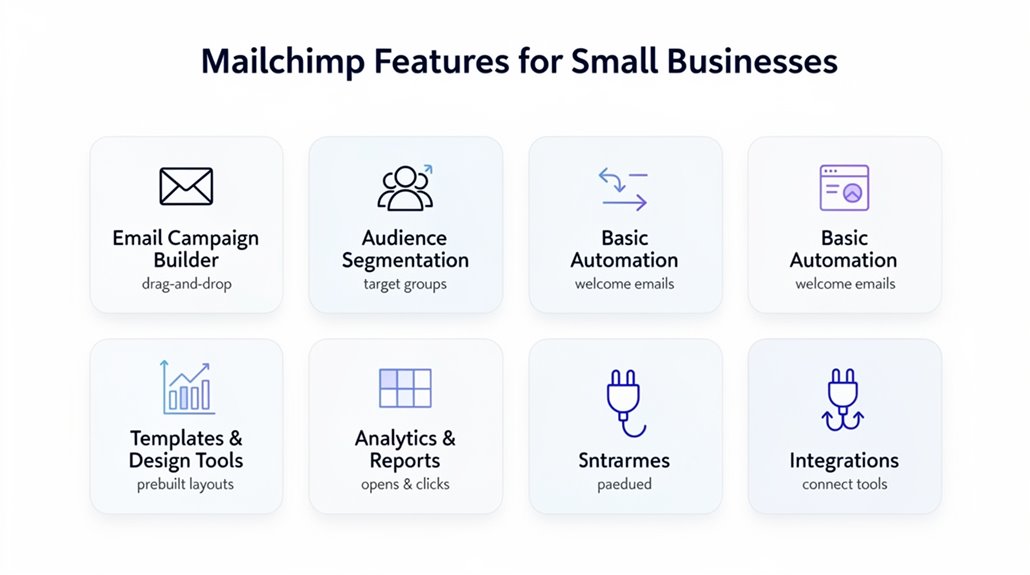
Although you might not have technical skills, Mailchimp’s user-friendly platform makes creating professional email campaigns simple, thanks to over 130 high-quality templates designed for small businesses. You can easily customize these templates to fit your brand and marketing goals. Mailchimp supports advanced automation features that help you send personalized emails triggered by your customers’ behavior, like abandoned cart emails, which can recover lost sales efficiently. The platform’s audience segmentation allows you to target customers based on preferences and purchasing potential, boosting your campaign’s relevance and effectiveness. With a strong focus on email deliverability, Mailchimp guarantees more than 99% of your messages reach inboxes, making certain your promotional emails and product updates aren’t missed. Mailchimp also offers a free plan with limited features, making it an accessible starting point for beginners before scaling up to higher tier options that unlock advanced automation and integrations. Overall, Mailchimp empowers small businesses to run sophisticated email marketing campaigns without needing extensive experience, combining ease of use with powerful tools that drive engagement and conversions.
Mailchimp Automation Features and Their Limits
When you plunge into Mailchimp’s automation features, you’ll find over 50 behavior-based triggers that help deliver personalized messages tailored to customer actions. These triggers enable personalized automation for welcome series, abandoned cart reminders, and post-purchase follow-ups, boosting user engagement and supporting e-commerce and small business needs. If you opt for Standard or Premium plans, you gain access to advanced automations and predictive segments, which can double your revenue by targeting customers more effectively. However, Mailchimp’s automation features can feel basic compared to dedicated platforms like ActiveCampaign or Drip, especially if your marketing strategies require deeper customization. As your campaigns scale, you might encounter scaling challenges since Mailchimp lacks advanced segmentation and robust analytics, which limits the ability to finely tune larger campaigns. While Mailchimp works well for straightforward automation, its limits become apparent if you want complex sequences or in-depth analysis to optimize user engagement on a broader scale. For example, ActiveCampaign offers over 135 automation triggers alongside 500 pre-built recipes, giving growing businesses significantly more flexibility to build detailed, customized marketing workflows.
Boost Campaigns With Personalization and Segmentation
Building on the automation triggers you’ve seen, Mailchimp’s personalization and segmentation tools take your campaigns further by targeting the right customers with tailored messages. Their platform uses over 50 behavior-based triggers to create dynamic content that resonates with customer behavior, boosting engagement and campaign boost. You can isolate specific segments, such as subscribers who engage frequently but haven’t purchased recently, enabling effective re-engagement strategies.
Combining email marketing with SMS campaigns even increases click rates by 58%, thanks to heightened personalization across channels. This multi-channel approach guarantees your targeted messages reach customers where they’re most responsive.
| Feature | Benefit |
|---|---|
| Behavior-based Automation | Tailors emails to customer actions |
| Advanced Segmentation | Targets high-purchase potential groups |
| Dynamic Content | Provides product recommendations |
| Multi-channel Campaigns | Higher engagement with SMS & email |
| Re-engagement Strategies | Reactivates inactive subscribers |
Mailchimp’s tools enhance your email marketing, maximizing engagement through precise segmentation and personalization.
Top Email Campaign Types to Run With Mailchimp
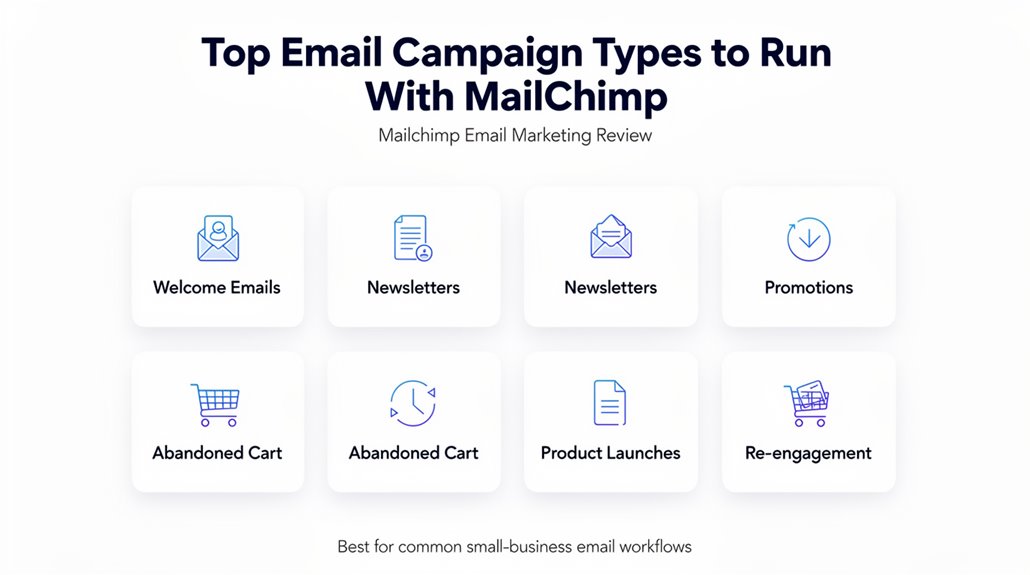
Because different campaigns serve unique purposes, Mailchimp offers a variety of email types to help you connect with your audience effectively. You can use promotional emails to advertise sales, events, and special offers, boosting customer engagement and conversions. Product update emails keep your subscribers informed about new or enhanced offerings, encouraging repeat business. Digital newsletters deliver regular updates and relevant content, fostering strong relationships with your audience.
With Mailchimp’s marketing automation, transactional emails provide timely purchase confirmations and follow-ups, enhancing the customer experience. Abandoned cart emails remind shoppers of items left behind, recovering lost sales and increasing revenue. These effective email campaigns, combined with Mailchimp’s robust audience management tools, let you tailor your messaging precisely. By leveraging this variety of campaign types, you’ll improve customer engagement and build lasting connections with your subscribers. Mailchimp guarantees your email campaigns are both impactful and easy to manage, no matter your marketing goals.
Why Mailchimp Works Well for Small and Medium E-Commerce
Any small or medium e-commerce business will find Mailchimp tailored to their needs, thanks to its user-friendly templates and dynamic content that let you create professional campaigns without technical skills. Mailchimp’s email marketing guarantees high deliverability—over 99%—so your messages reliably reach customers, which is essential for driving sales. You can boost customer engagement using automated features like abandoned cart emails that remind shoppers of items left behind, increasing your chances of recovery. Personalization options help you tailor messages, making your campaigns more relevant and effective. Plus, targeted campaigns enable you to focus on specific customer segments, improving conversion rates and maximizing ROI, which can reach as high as 30x. Mailchimp’s robust automation supports customer engagement across various purchase stages, from follow-ups to recommendations. Complementing these capabilities, A/B testing features allow you to experiment with email templates and messaging to identify what drives the highest engagement among your audience. For small and medium e-commerce, these tools combine to make Mailchimp a smart, efficient choice for growing your business with less effort and better results.
Connecting Mailchimp With Shopify and Other Apps
Connecting Mailchimp with Shopify and other apps lets you automate marketing while syncing customer data seamlessly. With Shopify integration, you can use purchase history and engagement metrics to create targeted campaigns and recover lost sales through abandoned cart emails. Plus, over 300 app connections give you plenty of options to streamline your email marketing efforts.
Shopify Integration Benefits
When you link Mailchimp with Shopify, you get an automatic sync of customer data and purchase history that powers smarter, more targeted email marketing. This Shopify integration enables e-commerce businesses to send abandoned cart emails and use dynamic product recommendations, boosting higher engagement and conversion rates. Mailchimp’s automation capabilities help you recover lost sales and improve campaign effectiveness by tailoring messages based on real-time data.
| Feature | Benefit | Impact |
|---|---|---|
| Customer Data Sync | Centralized info | Smarter targeting |
| Abandoned Cart Emails | Automated recovery | Increased sales |
| Dynamic Product Recommendations | Personalized offers | Higher engagement & clicks |
This integration maximizes your email marketing potential, driving clearer, more actionable customer insights.
App Connectivity Options
Mailchimp offers robust app connectivity options that let you easily sync Shopify and over 300 other platforms to streamline your marketing efforts. With seamless Shopify integration, Mailchimp pulls in customer data, allowing you to automate abandoned cart emails and product recommendations effectively. This guarantees your email automation strategy targets the right audience at the right time. Beyond Shopify, Mailchimp supports multi-channel marketing by integrating social media platforms, so you can manage campaigns and audience management from one dashboard. Plus, its API allows custom integrations, tailoring automation and marketing strategies to fit your business needs. These versatile integrations make Mailchimp a powerful tool for connecting your sales, customer insights, and channels, boosting your overall marketing efficiency.
How to Measure ROI and Campaign Performance in Mailchimp
There are several key metrics and tools you can use to measure ROI and campaign performance effectively in Mailchimp. You start by leveraging the built-in ROI calculator, which uses inputs like audience size, email sends per subscriber, conversion rate, and average conversion amount to estimate your returns—potentially reaching up to 30x with a strong deliverability rate. To track campaign performance, focus on analytics such as open rates and click rates; Mailchimp benchmarks average open rates at 35.63% and click rates at 2.62%. Multi-channel engagement, combining email marketing with SMS, can boost click rates by 58%, enhancing overall performance. Mailchimp’s detailed analytics allow you to compare your results against industry standards and understand recipient behavior. If you’re on the Standard plan or higher, you can use A/B testing to refine your campaigns by testing variables, which helps optimize future email marketing efforts and improve ROI.
Mailchimp Support and Onboarding Options to Start Fast
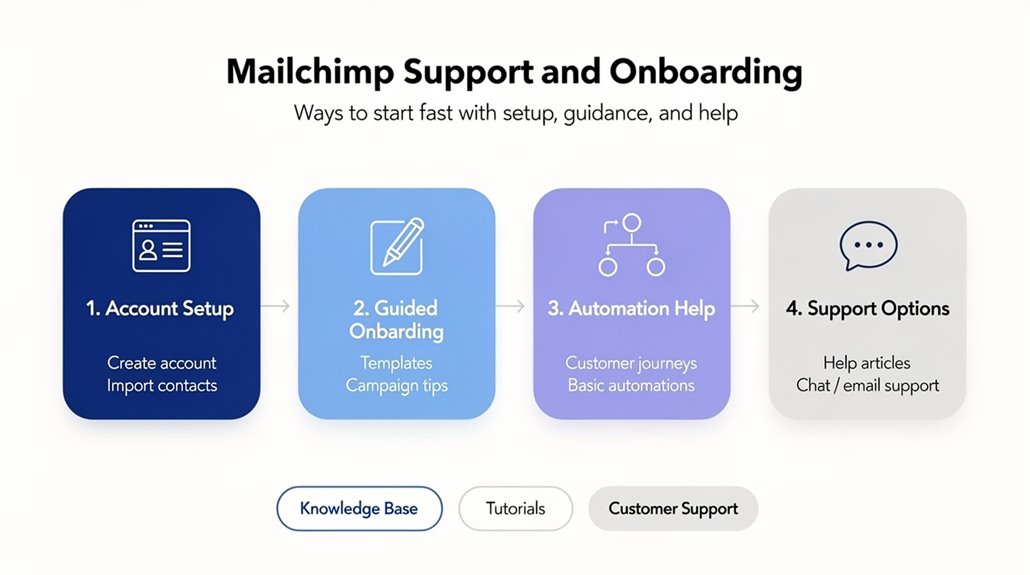
Tracking your campaign performance is important, but having reliable support and easy onboarding can make all the difference in getting started quickly. Mailchimp support offers 24/7 customer service support through chat and email, so you’re covered whenever questions arise about your account or campaign management. During business hours, chat response times typically range from 5 to 10 minutes, helping you resolve issues promptly. If you’re on the Standard or Premium plans, personalized onboarding services provide tailored guidance, ensuring a smooth start with email marketing. Beyond direct help, Mailchimp’s knowledge base offers detailed articles and tutorials ideal for troubleshooting common problems. Additionally, community forums allow you to connect with other users, sharing insights and solutions, though response quality can vary. Whether you need hands-on onboarding or quick answers, Mailchimp’s support infrastructure helps you launch and manage your campaigns efficiently.
Frequently Asked Questions
What Is the 80 20 Rule in Email Marketing?
The 80/20 rule in email marketing means 80% of your open rates and click through rates come from just 20% of your audience. You should focus on audience segmentation and content personalization to target this responsive group effectively. Using A/B testing on subject lines, mobile optimization, and lead nurturing can boost engagement. Gathering customer feedback helps improve campaigns, ensuring your email campaigns connect deeply with your top subscribers, maximizing ROI.
What Are the Features of Mailchimp Automation?
Mailchimp automation features include customizable workflows and over 50 automation triggers to target your audience precisely. You can segment subscribers for personalized content and schedule campaigns effortlessly. With built-in email templates and A/B testing, you optimize every message. The platform lets you design detailed customer journeys and integrates smoothly with other tools. Plus, performance analytics help you track success and refine your marketing strategies for better engagement and ROI.
What Is the 60 40 Rule in Email Marketing?
The 60/40 rule in email marketing means you’ll send 60% valuable content and 40% promotional material to boost engagement. Using audience segmentation and content personalization helps tailor your subject lines and send timing, improving open rates and engagement metrics. A/B testing lets you refine this balance, while mobile optimization guarantees subscribers interact easily. Applying this rule supports list growth and sharpens conversion strategies for better results.
What Are Mailchimp’s Best Features?
Mailchimp’s best features include a wide range of email templates that offer great design flexibility, making it easy for you to create stunning campaigns. You’ll love the audience segmentation and A/B testing tools that boost subscriber engagement. Its performance analytics and campaign tracking help you measure success precisely. Plus, integration options let you connect with other platforms smoothly. On top of that, Mailchimp’s customer support and flexible pricing plans make managing your email marketing hassle-free.