


HubSpot Review: Key Features, Pricing, Strengths, and Limitations Explained
Balancing robust features with user-friendly design, HubSpot offers much—but uncover its hidden costs and limitations before deciding. Discover more inside.
If you’re searching for a CRM that balances usability with powerful features, HubSpot might catch your attention. It offers plenty for small businesses, especially with its free plan, but there are factors you’ll want to contemplate before committing. From pricing nuances to automation options, understanding what HubSpot truly brings to the table can help you decide if it fits your business needs—or if it might bring unexpected challenges.
Is HubSpot the Right CRM for Your Business?
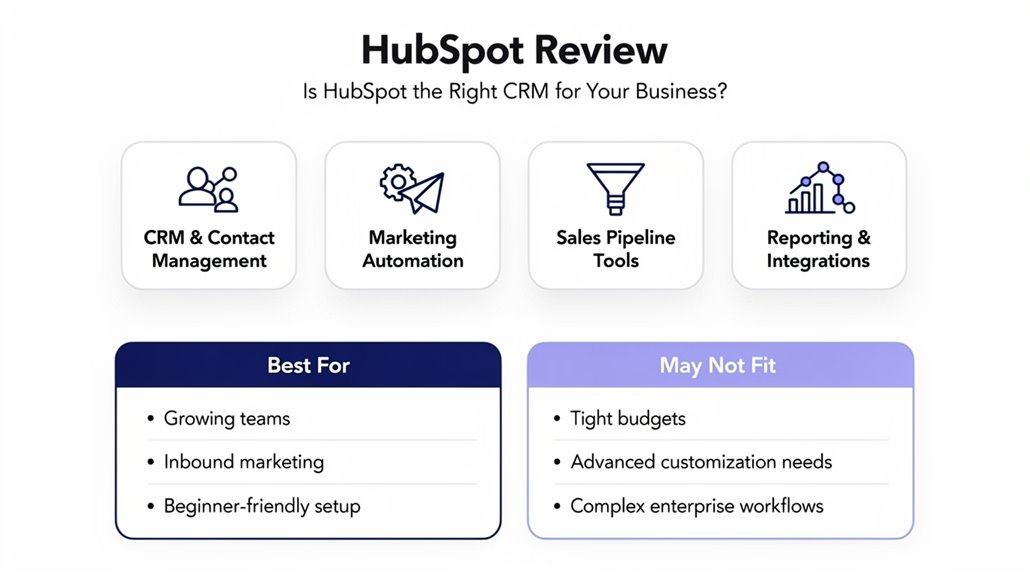
Wondering if HubSpot is the right CRM for your business? HubSpot offers a user-friendly CRM that’s especially appealing to small businesses thanks to its free forever plan, allowing unlimited contacts and deals—perfect if you’re just starting out. The platform’s strengths lie in its scalable automation features and continuous educational resources, making onboarding smoother regardless of technical skill. As your business grows, you can access more advanced functionalities with higher-tier plans. However, be mindful of HubSpot’s modular pricing structure, which may add up if you need multiple hubs or extensive customization. While the CRM’s features support growth effectively, the potential rising costs and some limitations in flexibility might not suit every budget or complex business need. If you value an easy-to-use, scalable CRM with solid automation and are comfortable evaluating pricing tiers as you expand, HubSpot could be a strong fit for your growing enterprise.
Understanding HubSpot Pricing Plans
When exploring HubSpot’s pricing plans, you’ll want to evaluate how each tier matches your business needs and budget. The costs start with a free CRM and scale up to Enterprise levels that include customized features and onboarding fees. Understanding what you get at each price point can help you choose the right plan without overpaying.
Pricing Tiers Breakdown
HubSpot offers four main pricing tiers designed to fit different business needs and budgets. You can start with the free plan, where the CRM is a powerful tool that supports unlimited contacts and basic email marketing for up to two users. The Starter Plan, priced from $9 per month per user, adds essential features like branding removal and simple automation. Moving up, the Professional Plan at $90 per month per user introduces advanced features such as AI and more complex automation, but it also includes a $1,500 onboarding fee. Finally, the Enterprise Plan costs $150 per month per user and maximizes customization options, with a hefty $3,500 onboarding fee. HubSpot pricing scales considerably across paid plans as your team and feature requirements grow.
Costs And Features
Understanding the costs of HubSpot’s plans is key to matching the right features with your business needs. HubSpot software offers a free plan that lets you manage unlimited contacts, companies, deals, and tickets with basic limits on emails and users. As your needs grow, the pricing structure becomes user-based, so costs increase with team size. The Starter Plan is affordable and removes HubSpot branding, but for advanced features, you’ll want the Professional Plan starting at $90 per month per seat, plus onboarding fees. The Enterprise Plan, at $150 per month per seat, releases extensive customization capabilities but comes with higher onboarding costs. Knowing which plan’s features align with your goals guarantees you pay only for what truly supports your business growth.
HubSpot’s Core Features for Marketing, Sales, and Service
You’ll find HubSpot packed with marketing automation tools that help capture leads and manage campaigns efficiently. On the sales side, its pipeline management features keep your deals organized and improve prospect engagement. Plus, the service support tools guarantee your customer interactions are seamless and personalized.
Marketing Automation Tools
Three core hubs power the marketing automation capabilities you’ll find in this platform: Marketing, Sales, and Service. HubSpot’s Marketing Hub offers AI-powered tools that streamline lead capture, allowing marketing teams to engage prospects effectively. With campaign automation and audience segmentation, you can deliver personalized marketing tailored to your audience’s needs. The user-friendly interface makes managing these tools straightforward, helping you align your strategies seamlessly across departments. Additionally, HubSpot provides robust analytics to track customer interactions, enabling data-driven decision-making that fine-tunes your campaigns for maximum impact. Whether you’re managing emails, social media, or workflows, the marketing automation features simplify complex processes while boosting efficiency and engagement—making it easier for you to nurture leads and grow your business smartly.
Sales Pipeline Management
A well-organized sales pipeline is essential for turning leads into customers, and HubSpot’s Sales Pipeline Management makes this easier than ever. With its visual deal pipeline, you can customize deal stages to track progress clearly from first contact to closing. HubSpot’s CRM centralizes contacts and deals, boosting collaboration across marketing, sales, and service teams by providing a full view of customer interactions. Automation tools help you save time by triggering follow-up emails and reminders based on behavior. Plus, its forecasting capabilities allow you to predict revenue and set achievable sales goals. Designed with accessibility in mind, the interface is user-friendly for all users, even those without technical expertise, ensuring you manage your sales process efficiently and effectively.
Service Support Features
HubSpot’s unified platform brings together powerful tools across Marketing, Sales, and Service Hubs, so you can manage customer interactions seamlessly. Its service tools in the Service Hub deliver robust customer support with automation capabilities that streamline technical support tasks. You’ll benefit from omni-channel support, enabling personalized and consistent customer interaction across email, chat, and calls. Intelligent ticketing helps you prioritize and resolve issues efficiently, reducing response times. Self-service tools empower your customers to find answers independently, boosting customer satisfaction and easing your support load. Plus, integrated data insights give you a clear view of service performance, allowing you to make informed improvements. Overall, HubSpot guarantees your service team can deliver fast, intelligent, and connected support experiences that keep customers happy and loyal.
How Hubspot Integrates With Other Tools and Platforms
When you need your tools to work together smoothly, HubSpot doesn’t disappoint—it offers over 1,500 integrations through its App Marketplace, connecting with popular platforms like Salesforce, Slack, Gmail, and Outlook. HubSpot integrates seamlessly, providing bi-directional sync with Salesforce to keep your data accurate across systems. Its native integrations with email platforms, calendars, and communication tools streamline workflows, boosting your team’s productivity. Marketing and sales efforts benefit from advanced integration options that centralize campaign management and enhance functionalities. Plus, these connections evolve regularly, thanks to community-driven updates, ensuring you always have access to the latest seamless connectivity.
With HubSpot, you can:
- Easily synchronize customer data without manual imports
- Improve collaboration using integrated communication tools
- Automate workflows across productivity tools
- Manage advertising campaigns efficiently within one platform
- Enjoy ongoing enhancements that keep your tech stack connected
This interconnected system saves you time and empowers your business to grow smarter.
Boost HubSpot Prospecting With La Growth Machine Integration
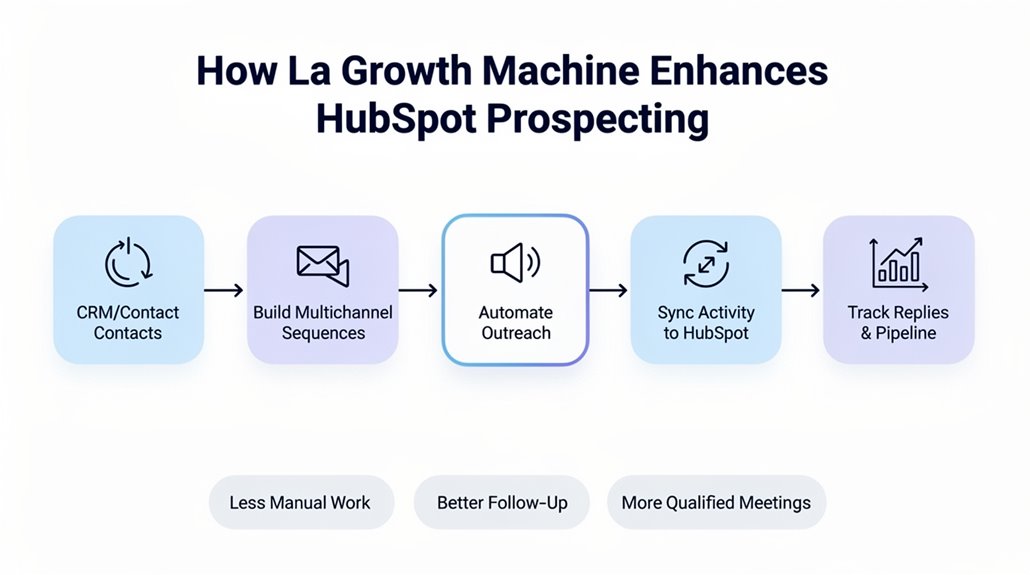
Expanding your prospecting efforts becomes much easier with La Growth Machine integrated into HubSpot. This powerful integration enhances HubSpot CRM’s outreach capabilities by enabling automated multichannel sequences across LinkedIn, email, and calls. With La Growth Machine, you’ll benefit from advanced LinkedIn automation tools designed to boost response rates, connecting you more effectively with potential leads. The integration also guarantees high data quality through built-in contact enrichment and validation processes, so your campaigns target accurate and verified leads.
HubSpot Pros for Business Growth
While growing your business, you’ll want a CRM that brings marketing, sales, service, and operations together seamlessly—and that’s exactly what HubSpot delivers. Designed as a all-encompassing CRM, it simplifies customer relationship management for small and mid-sized businesses, empowering your sales team and marketing efforts under one roof. HubSpot’s free plan offers an incredible starting point, letting you manage unlimited contacts and deals without upfront costs. Plus, the user-friendly interface makes onboarding smooth, even if you’re not tech-savvy. Advanced reporting and powerful marketing automation take your strategy further, helping you nurture leads and track performance effectively. Don’t forget HubSpot Academy, which boosts your team’s skills to fully leverage the platform, accelerating your business growth with confidence.
- Get started easily with HubSpot’s free plan
- Streamline tasks using marketing automation
- Access clear insights through advanced reporting
- Boost team proficiency with HubSpot Academy
- Navigate effortlessly via a user-friendly interface
Key Limitations and Drawbacks for Growing Companies
Although HubSpot offers many benefits, you’ll want to be aware of some limitations that could affect your growing company. HubSpot lacks specialized functionalities for teams focusing on outbound prospecting, limiting its utility in specific marketing areas. The pricing structure, especially the per-seat model, can cause costs to skyrocket as teams grow, making it challenging for businesses on lower budgets. Additionally, many essential features—like advanced automation and reporting—are locked behind higher-tier plans, restricting access to key functionalities. The platform’s complexity can overwhelm users, complicating email handling and deal linking, which may hinder efficient workflows.
| Key Limitation | Impact on Growing Companies | Effect on Budgets |
|---|---|---|
| Pricing Structure | Increased costs as teams grow | Strain on lower budgets |
| Limited Functionalities | Essential features in higher tiers | Reduced effectiveness |
| Complexity | Difficult adaptation and use | Can slow team productivity |
Is HubSpot Worth It? Evaluating Value and Suitability
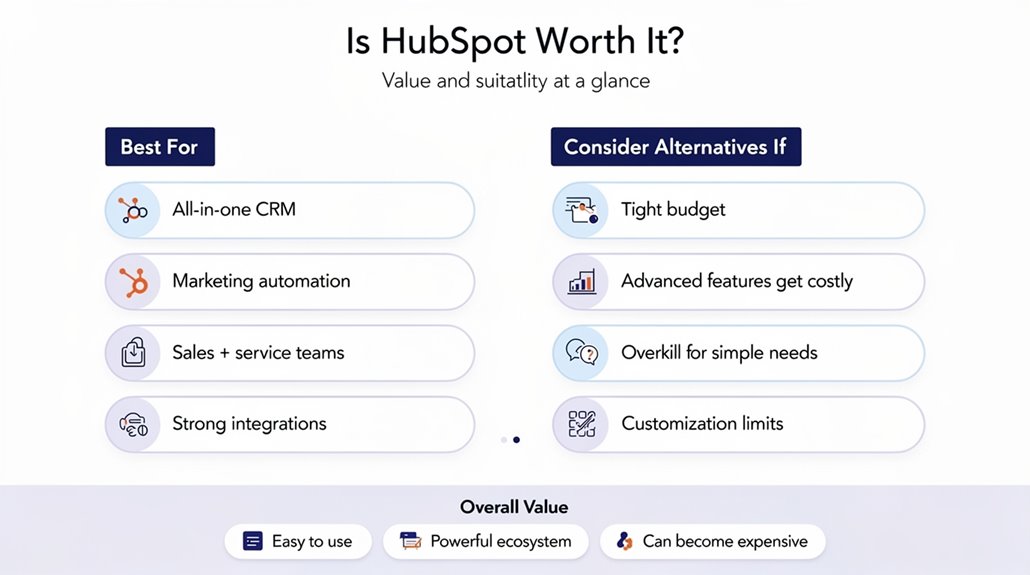
Understanding HubSpot’s limitations helps you evaluate whether its benefits align with your business needs. HubSpot offers a free plan with unlimited contacts, which is a huge plus if you’re just starting and want to manage customer relationships without upfront costs. Its user-friendly interface and detailed features earn it strong ratings, but pricing can quickly add up, especially with per-seat fees and mandatory onboarding for higher tiers. While its strengths lie in scalability and core automation for mid-tier businesses, those needing advanced customization might hit limitations. You’ll want to reflect on how much value these features bring against rising costs.
- Feel empowered with a free plan to build your customer base
- Enjoy a seamless onboarding experience tailored to your team
- Access scalable tools that grow as your business evolves
- Recognize when pricing might challenge your budget
- Balance essential features with your business’s growth goals
Is HubSpot worth it? If your priorities fit its scalable strengths and pricing model, it could be a smart investment.
Frequently Asked Questions
How Secure Is My Data Within Hubspot’s Platform?
Your data on HubSpot is quite secure thanks to strong encryption, strict access controls, and user authentication that keep unauthorized users out. HubSpot’s privacy policies guarantee your info is handled responsibly, while data retention and backup procedures safeguard against loss. They maintain compliance certifications, perform audit logging, and have a solid incident response plan. Even with third-party integrations, they prioritize security, giving you peace of mind about your data’s safety.
Does Hubspot Offer Multilingual Support for Global Teams?
Yes, HubSpot offers a multilingual interface and robust translation management to help you serve global teams effectively. You can customize language settings, leverage localization tools for cultural adaptation, and optimize international SEO. With language analytics and global reporting, it’s easier to track regional marketing success while enhancing user experience. HubSpot’s features guarantee you can tailor content and campaigns to different languages and regions seamlessly.
What Mobile Apps Are Available for Hubspot Users?
You’ll find HubSpot offers mobile apps for both iOS and Android, designed to enhance mobile management with a user-friendly interface. These apps provide app functionality like offline access, seamless data synchronization, and customizable notification settings to keep you updated. You can track performance metrics on the go, customize features, and enjoy smooth integration options with other tools, all while maintaining a consistent user experience across devices.
Can Hubspot Help With Compliance and Regulatory Requirements?
Yes, HubSpot can help you with compliance and regulatory requirements by providing tools for compliance tracking and audit trails. You’ll be able to manage user consent, follow GDPR guidelines, and stay updated on regulatory updates. Its features support data privacy and ethical marketing, ensuring you meet industry standards. Plus, HubSpot aids in risk assessment and maintaining compliance certifications, helping you keep your operations aligned with necessary legal frameworks.
Is There a Community or Support Forum for Hubspot Users?
Yes, you’ll find a vibrant HubSpot community where users share experiences, integration tips, and success stories. You can tap into support channels and a thorough knowledge base for troubleshooting services and feature requests. The community also offers event participation opportunities and training resources to boost your skills. It’s a great place to learn from others and get help whenever you hit a snag with HubSpot’s tools.