


HubSpot vs Pipedrive: Which CRM Is Better for Sales Teams and Small Businesses?
Growing your sales team requires the right CRM—HubSpot's robust features or Pipedrive's simplicity? Discover which fits your business best.
When choosing a CRM, you want a solution that fits your sales team’s workflow and business needs without overcomplicating things. HubSpot offers powerful marketing-sales integration and automation, while Pipedrive keeps it simple and visually intuitive. Which one truly matches your priorities—comprehensive tools or streamlined ease? Understanding their differences could shape how effectively your sales process performs.
HubSpot vs Pipedrive: Choosing the Right CRM for Your Sales Team
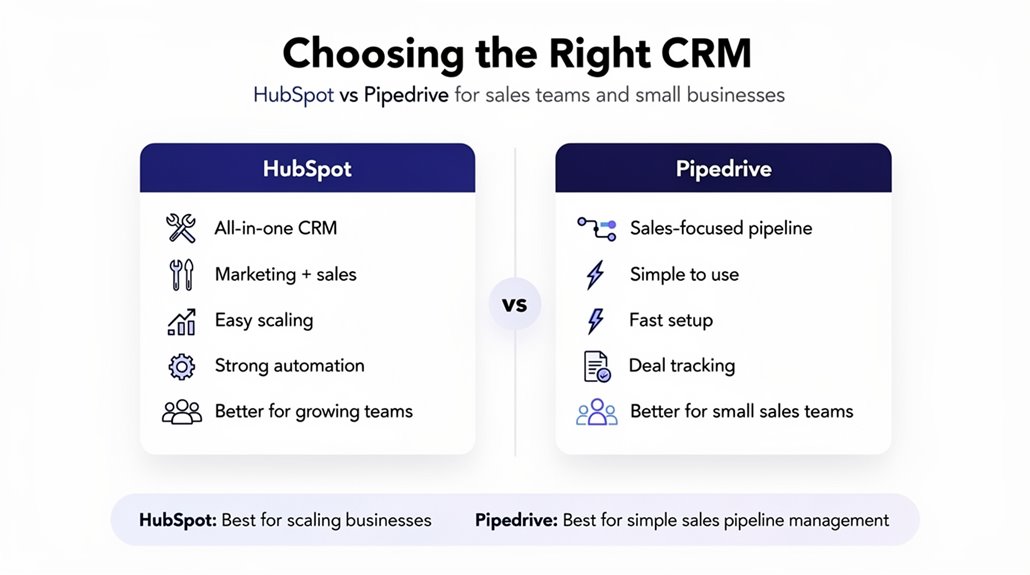
How do you choose between HubSpot and Pipedrive for your sales team? It depends on what your business needs. HubSpot is a powerful CRM platform known for its extensive marketing automation and seamless integration between sales and marketing teams. If your small business requires both sales and marketing coordination, HubSpot’s advanced features might be worth the higher pricing structure starting around $100/month per user.
On the other hand, Pipedrive is designed with sales teams in mind, focusing primarily on deal management and sales velocity. Its intuitive visual pipeline makes it easy to track progress, and with customizable features like drag-and-drop pipelines and up to 30 custom fields even in lower-tier plans, it’s an affordable option starting at just $19/month per user. If your priority is straightforward CRM functionality without extensive marketing automation, Pipedrive offers a cost-effective, user-friendly alternative tailored for sales teams and small businesses.
Comparing HubSpot and Pipedrive CRM Features for Sales and Marketing
When you weigh HubSpot against Pipedrive for sales and marketing features, it’s clear they each bring distinct strengths to the table. HubSpot offers an all-in-one CRM that integrates sales and marketing seamlessly, with strong automation and lead scoring ideal for small businesses aiming to boost engagement. On the other hand, Pipedrive specializes in pipeline management with an intuitive user interface and straightforward deal tracking perfect for sales teams focused on simplicity and ease of use.
| Feature | HubSpot | Pipedrive |
|---|---|---|
| Sales & Marketing | Integrated tools, advanced automation | Focused on visual pipeline |
| Automation | Advanced, requires higher-tier plans | 50+ workflow templates |
| User Interface | Thorough but complex | Simple, user-friendly |
| Pricing | Free tier available | Transparent, budget-friendly |
| Best For | Marketing-sales collaboration | Sales teams seeking ease of use |
Considering these, you’ll pick the CRM that fits your sales teams and marketing needs.
How HubSpot and Pipedrive Manage Sales Pipelines Differently
Selecting the right CRM means understanding how it handles your sales pipeline since this directly impacts deal management and forecasting. When comparing HubSpot and Pipedrive, their approaches to sales pipeline management differ greatly. Pipedrive offers a highly customizable sales pipeline with visual kanban boards, making deal tracking straightforward. HubSpot Sales, as an integrated CRM, connects sales pipelines with marketing and service tools, enhancing pipeline visibility and team coordination. Key distinctions include:
- Pipedrive’s Smart Deal Progression highlights priority deals, ensuring your team focuses on critical opportunities.
- HubSpot guides deal progression with next-step actions, improving follow-ups and email integration efficiency.
- Pipedrive allows unlimited deal pipelines across plans, while HubSpot limits pipelines on entry-level tiers, impacting scalability for small teams.
Understanding these differences helps you choose a system that matches your sales process and team dynamics for smoother deal progression and accurate forecasting.
Comparing HubSpot and Pipedrive CRM Automation and AI Tools
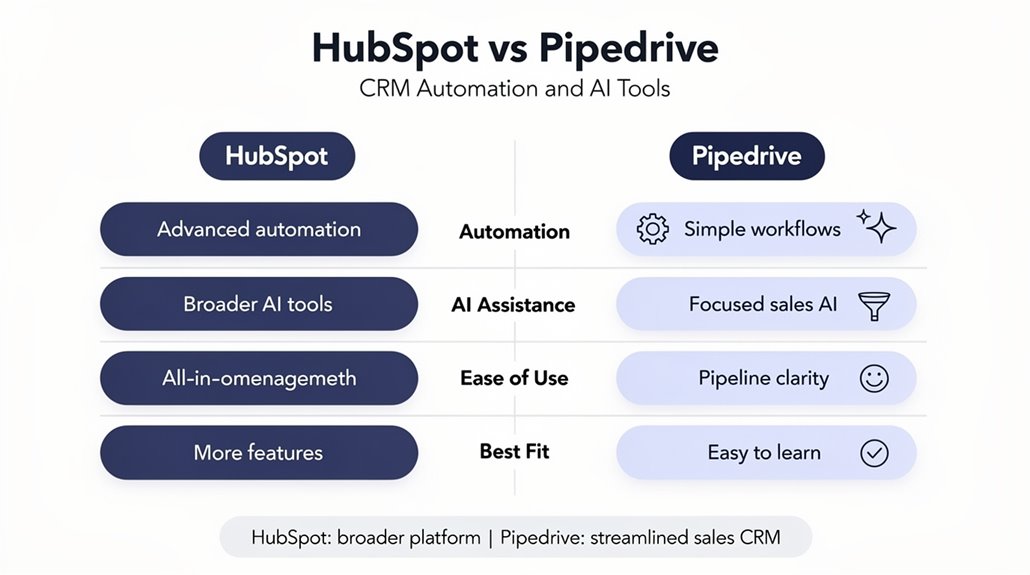
A CRM’s automation and AI tools can make a big difference in how efficiently you manage sales tasks and engage with prospects. HubSpot offers robust automation features like email sequencing, call scheduling, and notifications, which especially help with customer onboarding. Its Breeze Assistant even lets you create workflows using natural language prompts, while AI tools provide lead scoring and personalized outreach insights—great for sales teams wanting deeper data. Pipedrive focuses on simplicity, offering 50 prebuilt workflow templates and a visual pipeline that streamlines deal management. Its workflow automation cuts down on repetitive tasks and frequent data entry, integrating smoothly with apps like Slack and Trello to boost sales outreach. While both platforms aim to reduce manual data entry, HubSpot automates reminders and report generation, giving you more time to focus on selling. Overall, HubSpot’s AI tools offer more advanced automation, whereas Pipedrive prioritizes ease of use and visual pipeline clarity for sales teams.
Pricing and Value for Small Business CRM: HubSpot vs Pipedrive
Although both HubSpot and Pipedrive cater to small businesses, you’ll find that Pipedrive offers a more budget-friendly pricing structure starting at just $14 per user per month, compared to HubSpot’s entry-level plans that begin around $100 per user monthly. If pricing and value matter most to you, Pipedrive clearly stands out as an affordable CRM with transparent pricing and essential features included upfront.
Here’s why Pipedrive works well for small business budgets:
- Automation is available in lower-tier plans, unlike HubSpot which locks it behind pricier subscriptions.
- Unlimited deal pipelines come standard with every Pipedrive plan, offering more flexibility for your sales processes.
- No hidden onboarding fees mean you get straightforward costs with Pipedrive, helping you avoid unexpected expenses.
While HubSpot’s free tier has basic CRM functions, advanced features quickly escalate costs, making Pipedrive the smarter choice if you want powerful features without breaking the bank.
Which CRM Is Easier to Use and Faster to Onboard?
When choosing between HubSpot and Pipedrive, you’ll want to evaluate how simple their interfaces are and how quickly you can get your team up to speed. HubSpot offers a friendly design and plenty of training resources that speed up onboarding across departments. Meanwhile, Pipedrive’s straightforward, sales-focused pipeline makes setup fast and easy for sales teams.
User Interface Simplicity
Since ease of use directly impacts how quickly you and your team can adopt a new CRM, HubSpot and Pipedrive each offer distinct advantages in user interface simplicity. HubSpot boasts a clean user interface with high usability ratings, making it easy to use even for those new to CRM tools, though its mandatory data entry fields can sometimes slow you down. Pipedrive, designed for sales-focused teams, shines with an intuitive visual sales pipeline and customizable views that streamline deal tracking and reduce your learning curve.
Consider these points:
- HubSpot offers extensive onboarding resources enhancing the overall user experience.
- Pipedrive’s sales pipeline is highly visual and straightforward, helping you make decisions quickly.
- Both prioritize reducing data entry friction but differ in approach.
Choosing between them depends on your team’s preferences for usability and interface style.
Onboarding Speed Comparison
How quickly can you get your team up and running with HubSpot or Pipedrive? Both prioritize onboarding speed and ease of use, but they take slightly different approaches. HubSpot offers intuitive onboarding backed by thorough training resources, making it especially friendly for small businesses new to CRM. Its free tier lets you start without commitment, speeding up initial adoption. Meanwhile, Pipedrive focuses on intuitive onboarding with a simple, user-friendly interface and a customizable pipeline displayed in kanban view. Its strong user community also helps troubleshoot and ease setup. While both are user-friendly, HubSpot’s extensive tutorials combined with its no-cost entry point typically result in faster onboarding, especially if your team is marketing-driven and unfamiliar with CRM systems.
Choosing Between HubSpot and Pipedrive for Your Business Size and Sales Process
Although both HubSpot and Pipedrive serve CRM needs, your choice depends largely on your business size and sales process. If you run a small business focused on straightforward sales, Pipedrive offers a cost-effective CRM with visual sales pipeline management that’s easy to adopt. However, if your sales processes require advanced marketing automation and you’re managing complex workflows, HubSpot’s features can better support larger teams.
Consider these points when choosing between the two:
- Sales pipeline simplicity: Pipedrive excels for sales teams wanting clear, efficient deal tracking without extra bells and whistles.
- Extensive functionality: HubSpot integrates sales with marketing and service, ideal for businesses needing multiple department support.
- Cost-effectiveness: Pipedrive’s pricing starts lower, making it attractive for small businesses needing focused sales tools without overspending.
Ultimately, your decision should align with whether you prioritize streamlined sales processes or a thorough platform with rich marketing automation.
HubSpot vs Pipedrive: Integration Options and Ecosystem Strengths
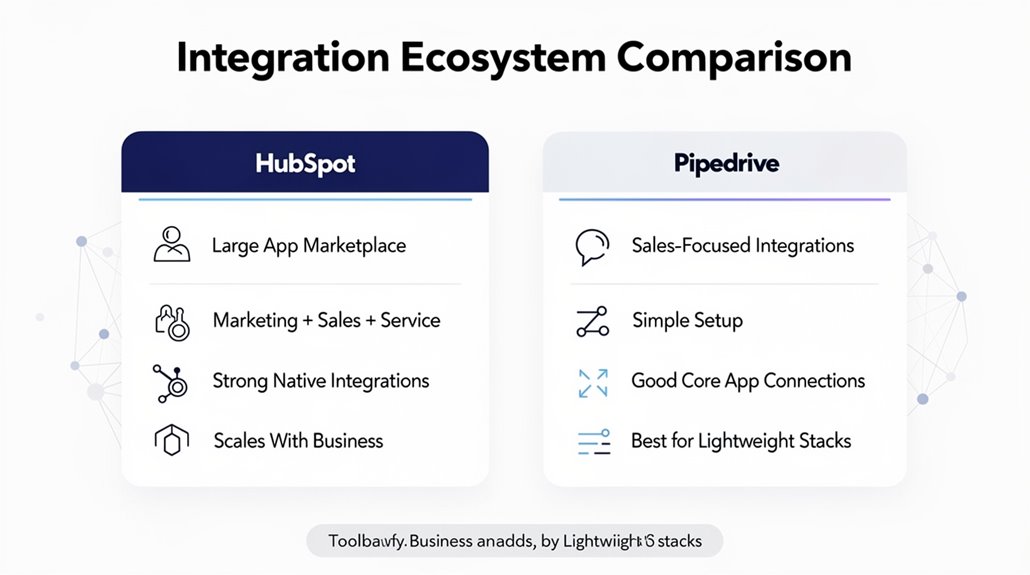
When you’re choosing between HubSpot and Pipedrive, the range and strength of their integrations can make a big difference in how smoothly your systems work together. HubSpot shines with extensive integrations, offering over 1,000 apps that cover email marketing, social media, accounting, and more. This lets you unify data management across marketing automation, sales, and customer service, giving you a complete view of customer interactions.
Pipedrive caters well to sales teams by focusing on sales and communication tools like Slack and Microsoft Teams, providing a more streamlined CRM experience. However, its integration options for marketing automation and project management are limited, often requiring third-party tools, which might complicate your workflow. So, if your business needs a thorough CRM ecosystem with powerful data management, HubSpot is a stronger choice. But if your focus is strictly on sales teams and straightforward integration, Pipedrive could work well for you.
Frequently Asked Questions
Can Hubspot or Pipedrive Improve Customer Support Beyond Sales Management?
Yes, both HubSpot and Pipedrive can boost your customer support beyond sales management. They offer support automation and ticket management to streamline response times. You’ll get omnichannel support, live chat, and a knowledge base to improve customer engagement. Plus, user feedback and reporting analytics help you track customer satisfaction and continuously enhance your service. This means you’ll handle issues faster and keep customers happier overall.
What Mobile App Features Do Hubspot and Pipedrive Offer for Sales Teams?
Both HubSpot and Pipedrive offer strong mobile usability with offline access, letting you manage tasks and track leads on the go. Their feature comparison shows HubSpot shines in dashboard customization and performance analytics, while Pipedrive excels in notification settings and task management. User ratings highlight each app’s smooth integration options. You’ll find both apps great, but your choice depends on whether you prioritize analytics or streamlined notifications for your sales team.
How Do Hubspot and Pipedrive Handle Data Security and Privacy Compliance?
You’ll find both HubSpot and Pipedrive use strong data encryption and extensive security features to protect user data. They maintain strict privacy policies and comply with key certifications like GDPR and CCPA. Access control, audit logs, and data retention policies help you manage and monitor information securely. Both offer incident response plans for swift action during breaches. Plus, their third-party integrations meet high security standards, ensuring your data stays safe across platforms.
Are There Industry-Specific CRM Customizations Available in Hubspot or Pipedrive?
Yes, both HubSpot and Pipedrive offer customization options and industry templates to fit your niche. You’ll appreciate their user experience, integration capabilities, and automation features that streamline your workflow. Their reporting tools help track performance effectively. Pricing structures and support resources vary, but both provide solid onboarding processes. Plus, their scalability solutions guarantee the CRM grows with your business, making it easier to customize as your needs evolve.
What Are the Options for CRM User Roles and Permission Settings in Both Platforms?
You’ll find both platforms offer robust CRM user roles and permission settings to suit your team’s needs. They let you define role definitions and access levels, enabling custom permissions for better user management. This supports team collaboration by controlling who can view or edit data. Security protocols are strong, with activity tracking and user audits helping you monitor actions and maintain accountability. These features keep your CRM organized and secure efficiently.